Customers and Suppliers
Shared business records
YouDoAccounting keeps customer and supplier records in the same self-hosted system as invoicing, purchases and statements.

Customer records
Use one shared customer record across invoicing, project work and account review so staff are working from the same information.
Customer List
Supplier records
Supplier contacts are managed in the same application, helping purchase records, payments and statements stay connected to the right business account.
Supplier List
Addresses
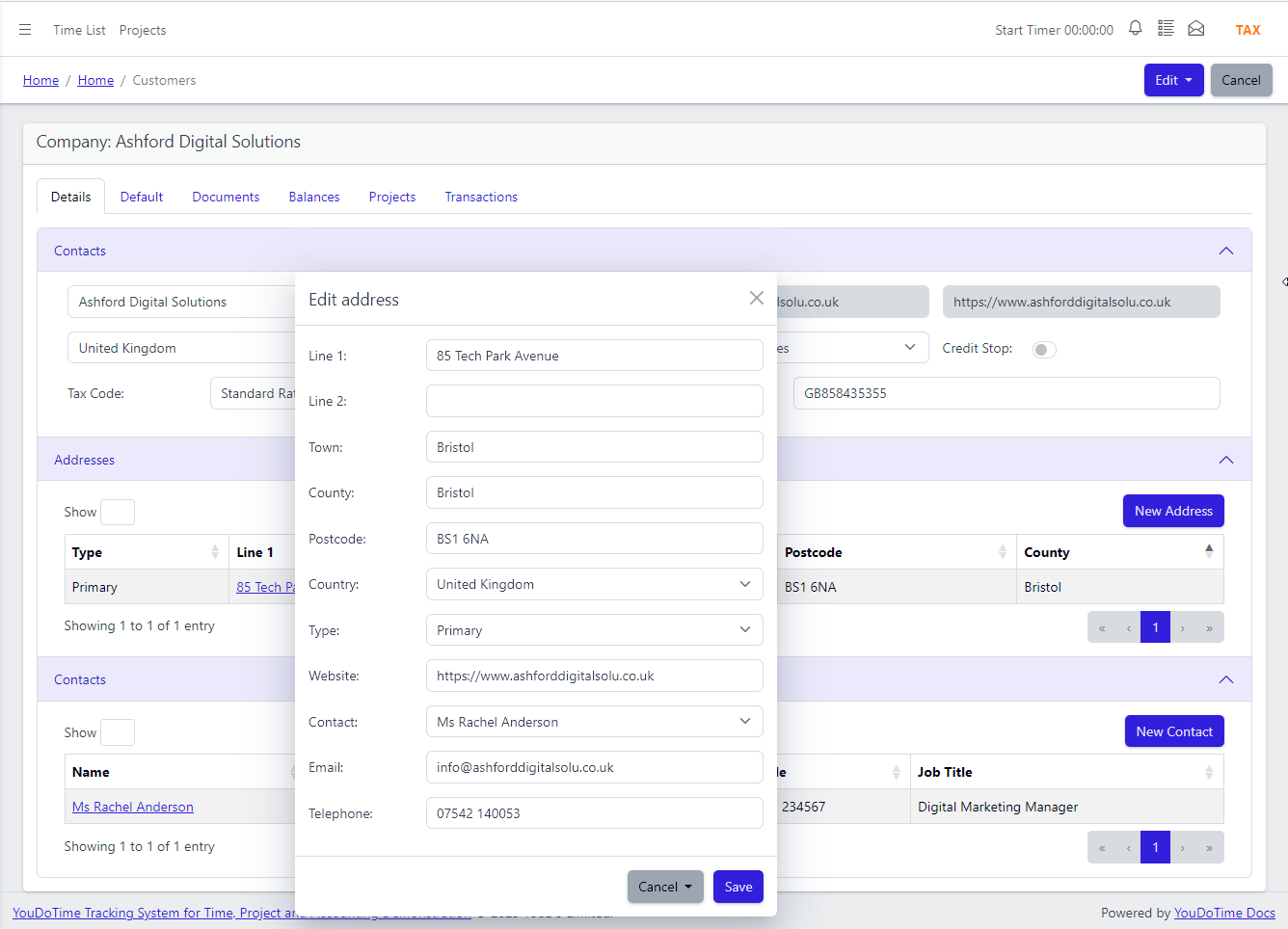
Assign multiple addresses to any customer or supplier — primary, invoice, delivery and head office. Contacts are linked directly to addresses, giving your team a clear picture of who to reach at which location.
Address Management
Contact Detail
Open any customer or supplier and see balances, transactions, documents and project status in one view. No switching between screens or exporting data to get the full picture.
Contact Views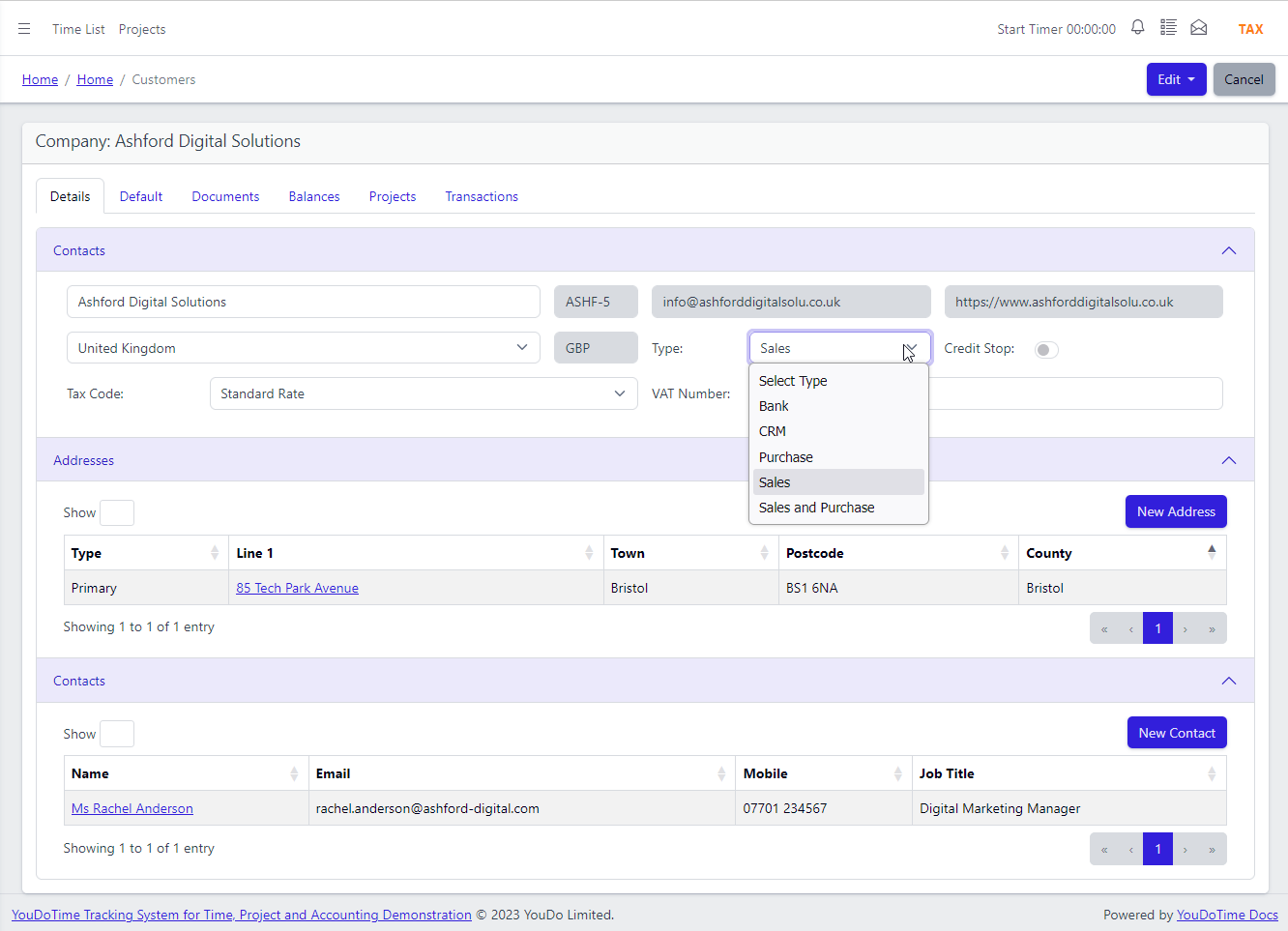
Contact Detail at a Glance
Every customer and supplier record in YouDoAccounting opens to a detailed view that goes beyond basic contact information. See exactly where the account stands without leaving the page.
- Documents — PDF copies of every invoice, credit note and statement sent
- Balances — outstanding amounts, credit limits and payment terms at a glance
- Transactions — full ledger history filterable by date and type
- Default settings — sales and purchase defaults including tax rates, currencies and nominal codes
Multiple Addresses, Multiple Contacts
Most accounting platforms limit you to a single delivery address or force workarounds like sub-customers. YouDoAccounting supports multiple addresses and multiple contacts per company, with each contact linked to a specific address.
- Primary
- Invoice
- Delivery
- Head Office
Customer and Supplier Lists
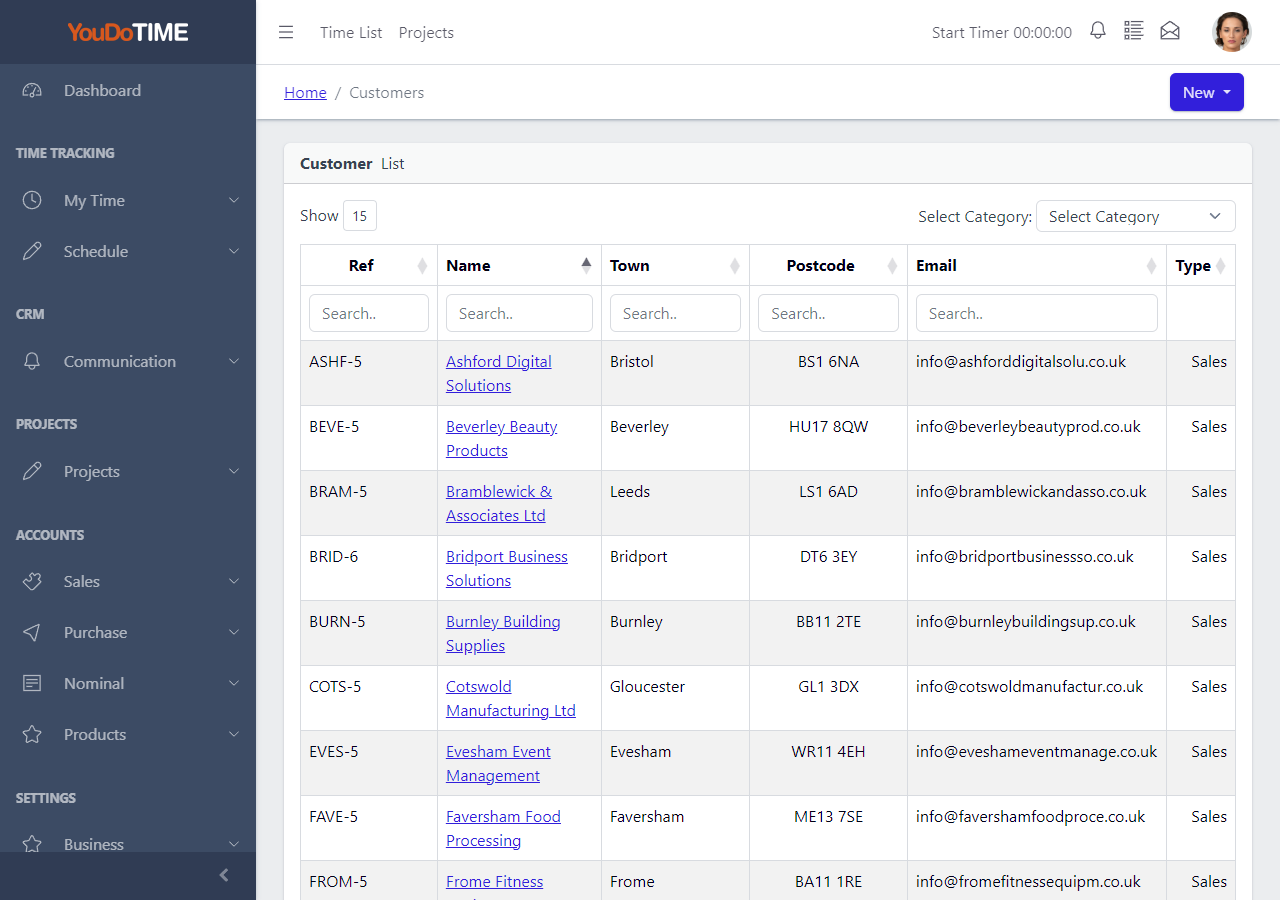
The contact list lets you search and filter by visible information such as account number, short name, town or category, helping staff narrow the working list without leaving the page.
- Search by any visible field including account number and short name
- Filter by category to group customers or suppliers by type
- Search by town or any address field on the list
- Faster results on a locally hosted system with no cloud delay
More than a contact list
The account record brings trading activity and working contacts together.
Use multiple addresses, people linked to their locations and a document trail that remains attached to the customer or supplier account.
YouDoAccounting stores every address, every contact and a PDF copy of every document you send — all on your own hardware with no storage limits and no third-party add-ons.
Move from an organisation to its addresses, people, transactions and documents without rebuilding the same relationship in separate systems.
Continue to sales and invoicingYes. A customer or supplier can hold multiple addresses, including primary, invoice, delivery and head-office locations.
Yes. Each contact person is allocated to an address on the account, so the record shows which person works at which location.
Every invoice, credit note and statement is automatically saved as a PDF and accessible from the contact's document view. There is no manual exporting, no third-party archiving tool and no storage limit — the files sit on your own server.
The contact detail gives you balances, transactions, documents and project status in a single view. That is more than most accounting platforms offer, where you typically have to navigate between separate screens or run reports to get the same information.
YouDoAccounting runs on your local machine or network. Opening a contact, checking a balance or viewing a statement does not depend on a cloud server round-trip. For routine admin tasks the difference in speed is immediately noticeable.
No separate contact database is needed for the core workflow. Customers, suppliers, addresses, contacts and their related document history are held within the same self-hosted YouDoSoftware application.