Tasks and Comments
Task Management
Tasks that connect to your project, your time and your accounts — not just a to-do list.

Task Assignment
Assign tasks to any user with a deadline and priority. Team members see their own tasks; managers see everything across all projects.

Time at Task Level
Log time directly against a task. Total cost and billable amount are calculated per task — integrated with accounting so nothing needs to be reconciled separately.

Files and Images
Attach files and paste images directly into any task. Thumbnails are generated automatically. Files are stored on your own server — no storage limits, no extra charges.

Project Connected
Every task belongs to a project or sub-project. Navigation always returns to the parent project — work stays in context, not lost in a flat app-wide task list.
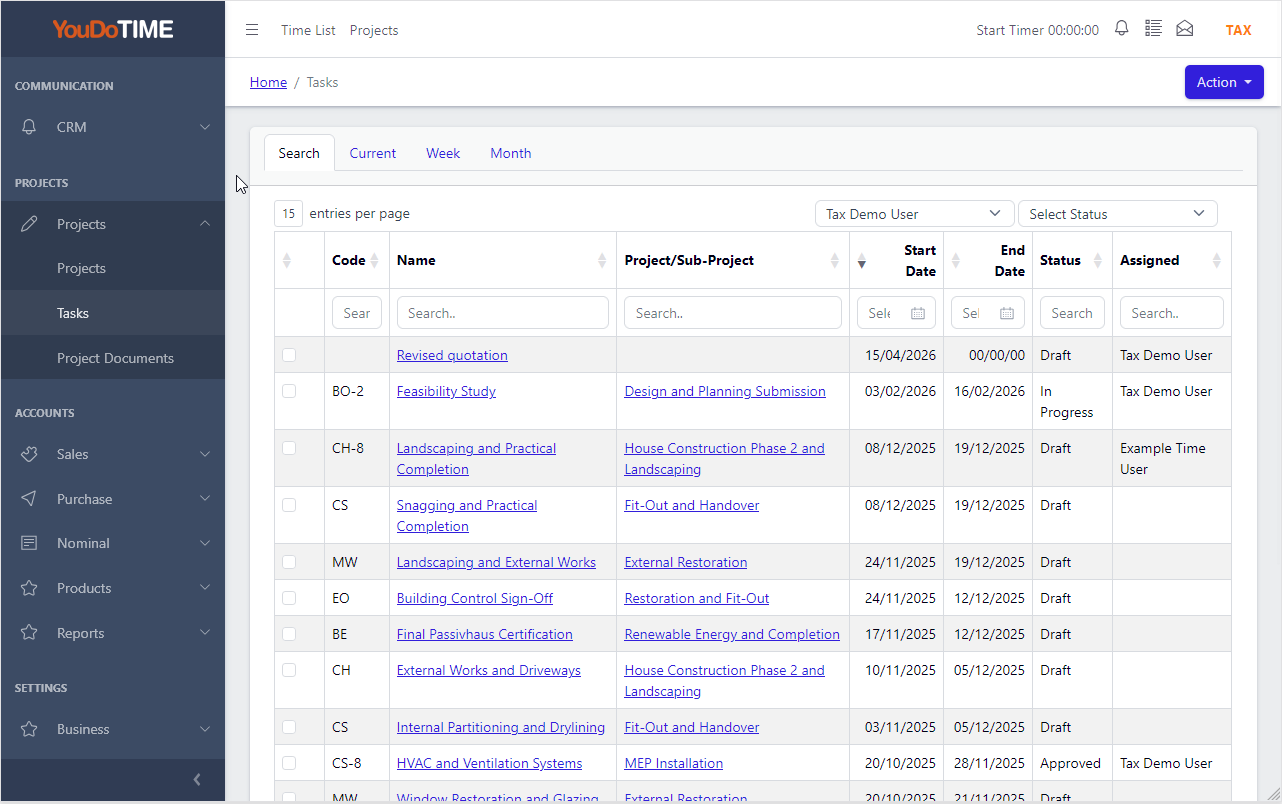
Your tasks, your view
Task lists in YouDoProjects are segregated by user — each team member sees the tasks assigned to them, while managers have a full view across all projects and all users.
Client projects and in-house projects sit in the same list, clearly distinguishable by the linked company. A task for an internal initiative looks and behaves exactly like a task for a paying client — the same workflow, the same time tracking, the same cost visibility. Filter, sort and work through your day without switching context.
- Personal view for team members — their tasks only
- Manager view — all tasks across all projects and users
- Client and in-house projects in the same unified list
- Archive a project and its tasks vanish from every list automatically — search stays clean as your history grows
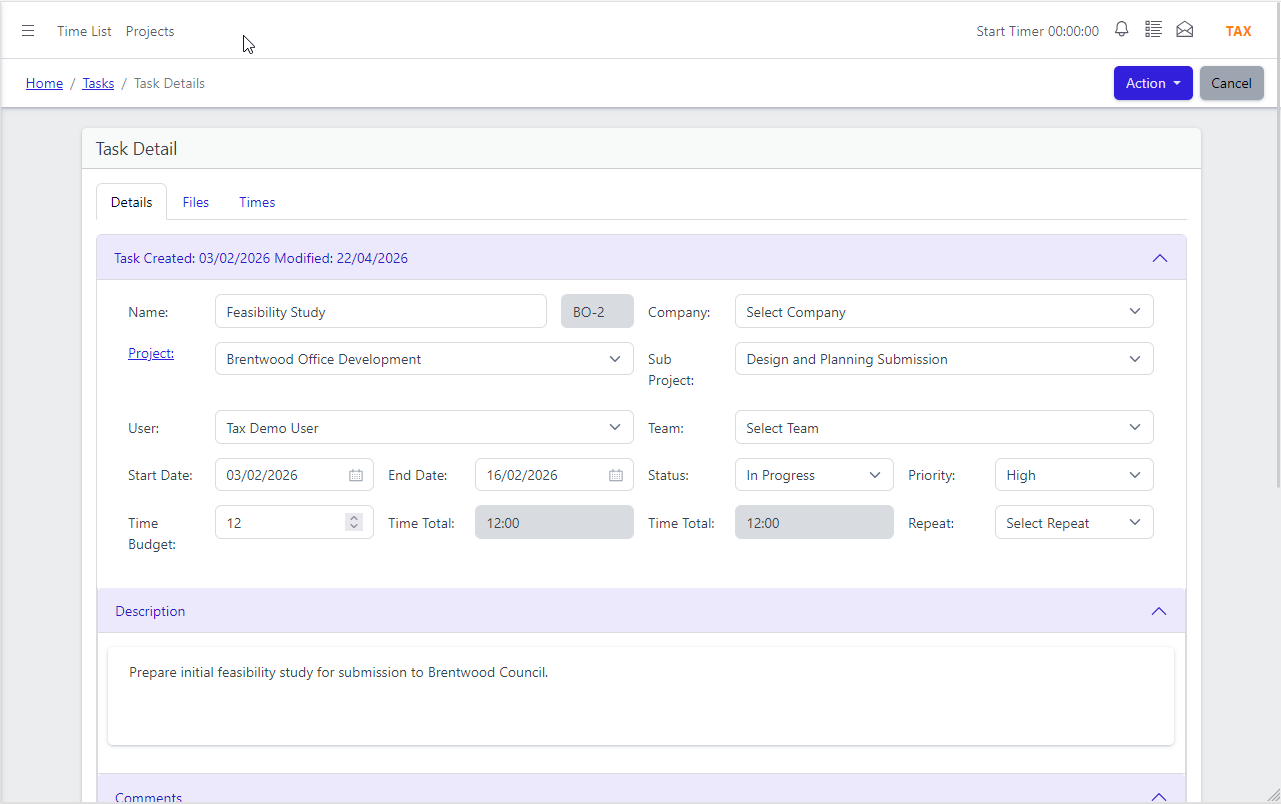
Everything about the task, in one place
Open a task and see everything that matters — who it is assigned to, when it is due, what priority it carries, and which project or sub-project it belongs to.
Tasks can be assigned to a sub-project as well as the parent project, giving you the same level of structure that tools like Jira provide — without the cloud subscription. The task detail page is designed to be the place where work actually happens: add time, leave a comment, attach a file, all without navigating away.
- Assignee, deadline, priority and status on every task
- Linked to a project or sub-project — navigate back with one click
- Jira-style task structure, self-hosted on your own network
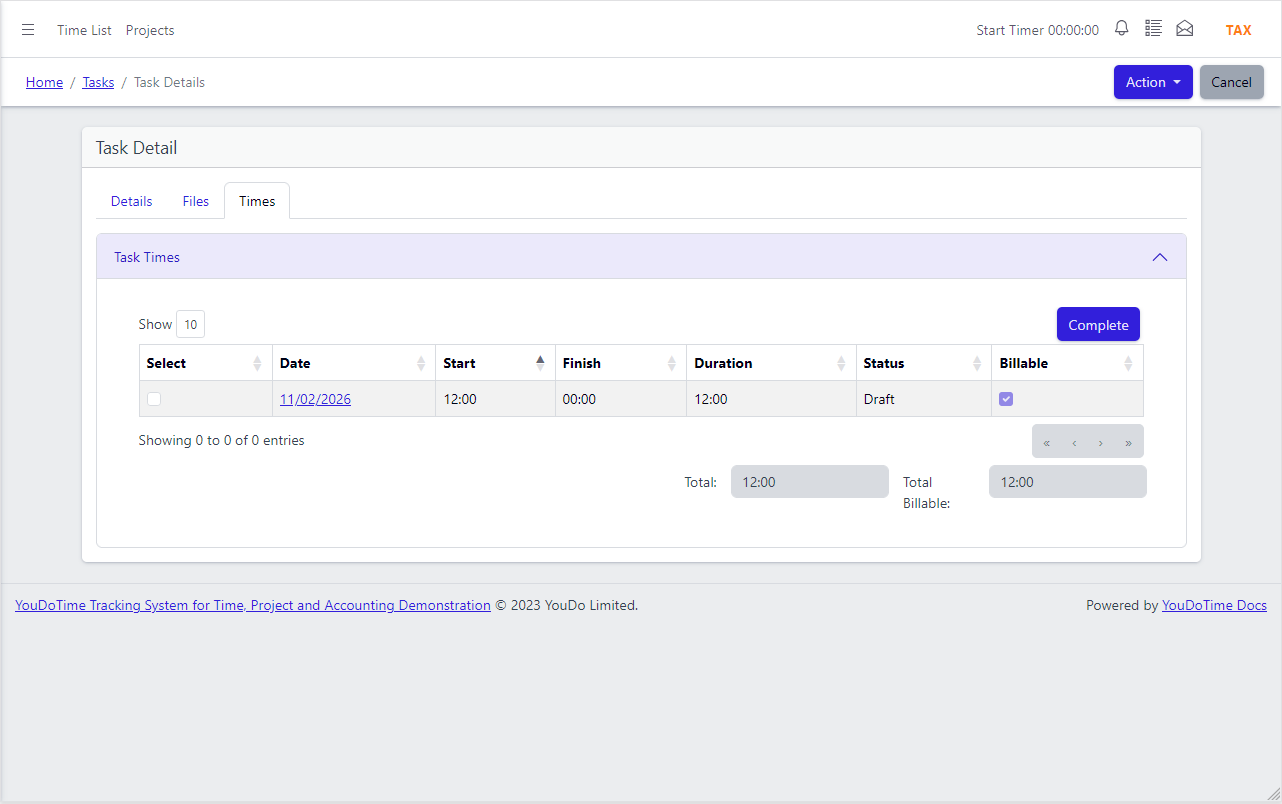
Time tracking at the task level
Most project tools track time at project level. YouDoProjects tracks it at the task level — so you know exactly what each piece of work costs and what is billable to the client.
Set a time budget on the task, then log hours as work progresses. YouDoProjects shows estimated versus actual at a glance, calculates the total cost based on the user's rate, and separates billable from internal time. Because time is integrated with accounting, there is no separate timesheet export or manual billing step.
- Time budget per task — estimated versus actual hours at a glance
- Cost and billable amount calculated per task
- Integrated with accounting — no separate export or reconciliation
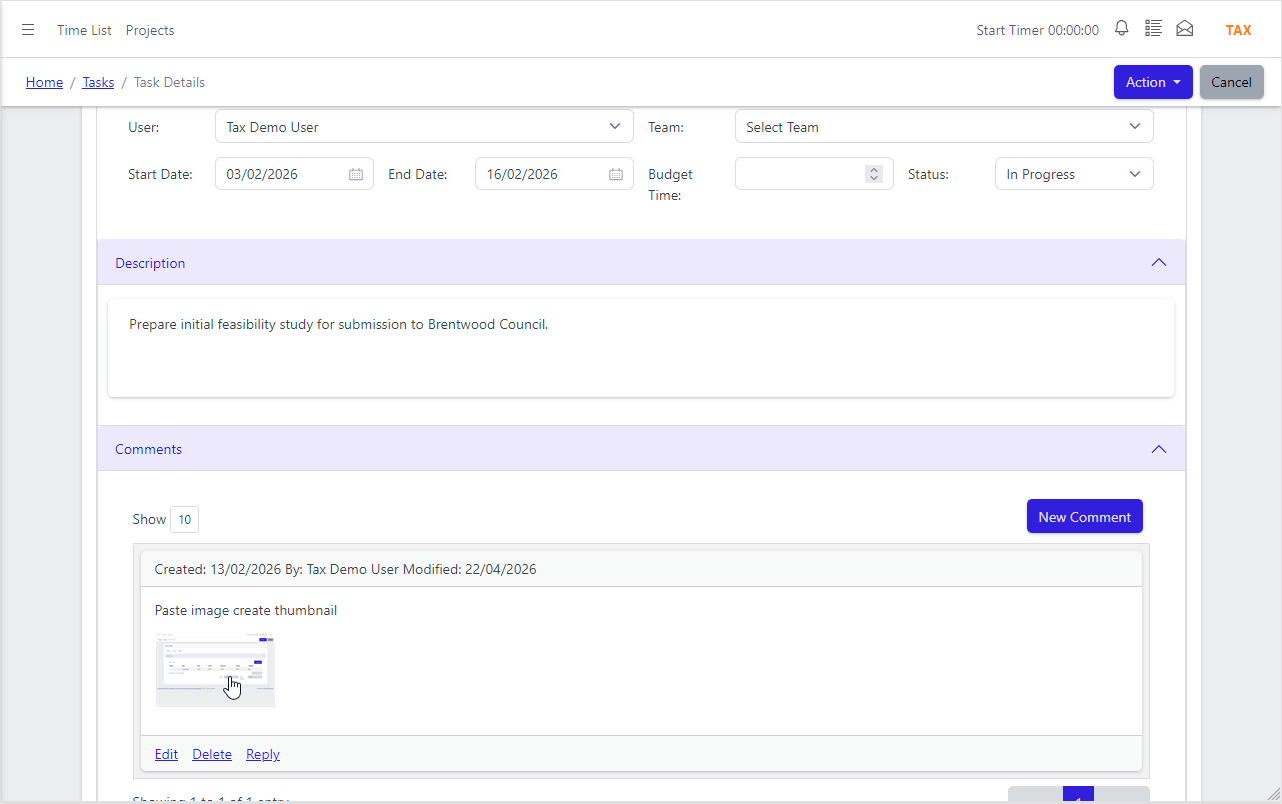
Collaborate without leaving the task
Comments, file attachments and image uploads all live on the task itself — no email threads, no shared drives, no hunting for context that should have been saved with the work.
Post a comment and the assigned user is notified immediately. Paste an image directly into the task editor and a thumbnail is created automatically — the same behaviour you would expect from a tool like Jira. Attached files are stored on your own server with no per-file size limit and no storage tier to upgrade.
- Threaded comments with automatic notifications
- Paste or upload images — thumbnails generated automatically
- File attachments stored on your server — unlimited, no extra cost
App Features
Task management that knows what the work costs — and who gets billed.
Task-Level Time Tracking
Log hours on individual tasks, not just projects. See exactly where time goes and which tasks are over or under estimate.

Cost and Billing Per Task
Time logged on a task calculates cost against the user's rate and separates billable from internal time — integrated directly with accounting.
Unlimited File Storage
Files and images attached to tasks are stored on your own server — no per-file limits, no storage tiers, no charges as your library grows.
Sub-Project Assignment
Assign tasks to a sub-project as well as the parent project — the same structured approach as Jira, without the cloud dependency.

Auto Thumbnails
Paste or upload an image into a task and a thumbnail is created automatically — no manual resizing, no third-party image service.

Notifications
Users are notified when assigned to a task and when a comment is posted — so work moves forward without chasing people for updates.