Reports
Every report in one place
Preview on the fly in HTML, generate a PDF when you want one archived — every nominal, sales, purchase and project report, on demand.

Nominal Reports
Balance Sheet, Profit & Loss, Trial Balance, VAT Return, Cash Book, Department, Bank Reconciliation and more. Every core accountant report in one panel.
Nominal Reports
Sales Reports
Aged Debtors Detail, Aged Debtors List, Daybook, Distribution Report, Sales Ledger and Transaction List — with period control and a single click to PDF.
Sales Reports
Purchase Reports
Aged Creditors Detail, Aged Creditors List, Daybook, Distribution Report, Purchase Ledger and Transaction List — grouped by supplier with full drill-down.
Purchase Reports
Project Reports
Profitability, costs and time by project and sub-project. Internal and customer projects, with department allocation carried through from the underlying transactions.
Project ReportsCore nominal views
- Balance Sheet and Profit & Loss.
- Trial Balance and transaction detail.
- Department and distribution analysis.
- VAT and cashbook reports.
Nominal Reports
Pick a report, pick a period, generate. The HTML version is rendered on the fly for review — nothing is stored. Generate a PDF when you want a permanent copy, and it lands automatically in Documents under Reports, filed by period folder (for example Nominal Reports > 2025/01 > balance-sheet-76.pdf). Browse the archive or search by report name.
The set covers the full UK accountant toolkit: Balance Sheet, Profit & Loss, Chart of Accounts, Trial Balance (with Detailed and Period variants), Distribution Report, Transaction List, Department, EC Sales List, VAT Return, Unposted Transactions, Bank Reconciliation and a complete Cash Book suite.
- Balance Sheet, Profit & Loss, Trial Balance.
- Department report — native, no tracking category workaround.
- VAT Return with MTD submission.
- Cash Book, Cash Book Distribution and Cash Book Transaction.
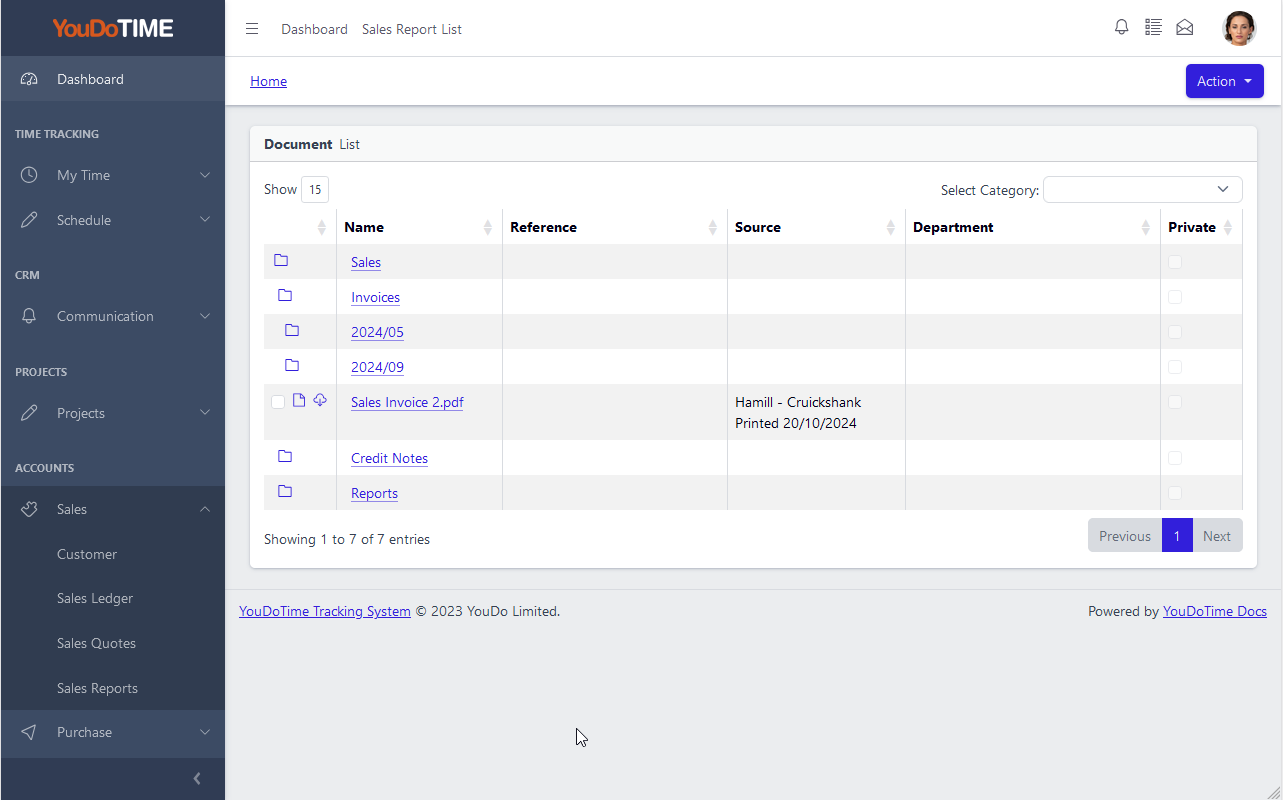
Sales Reports
Six sales reports for credit control, customer analysis and the sales ledger itself. Choose the period from a date picker or a pre-defined accounting period — the report picks up the right data and groups it for review.
HTML previews are generated on the fly — no intermediate storage, no clutter. When you want a permanent copy, generate the PDF and it is archived automatically in the Documents area, filed by period. No re-running to get a clean copy for the accountant or the audit file.
- Aged Debtors Detail and Aged Debtors List.
- Daybook for daily sales postings review.
- Sales Ledger and full Transaction List.
- Distribution Report to see where sales are coded.
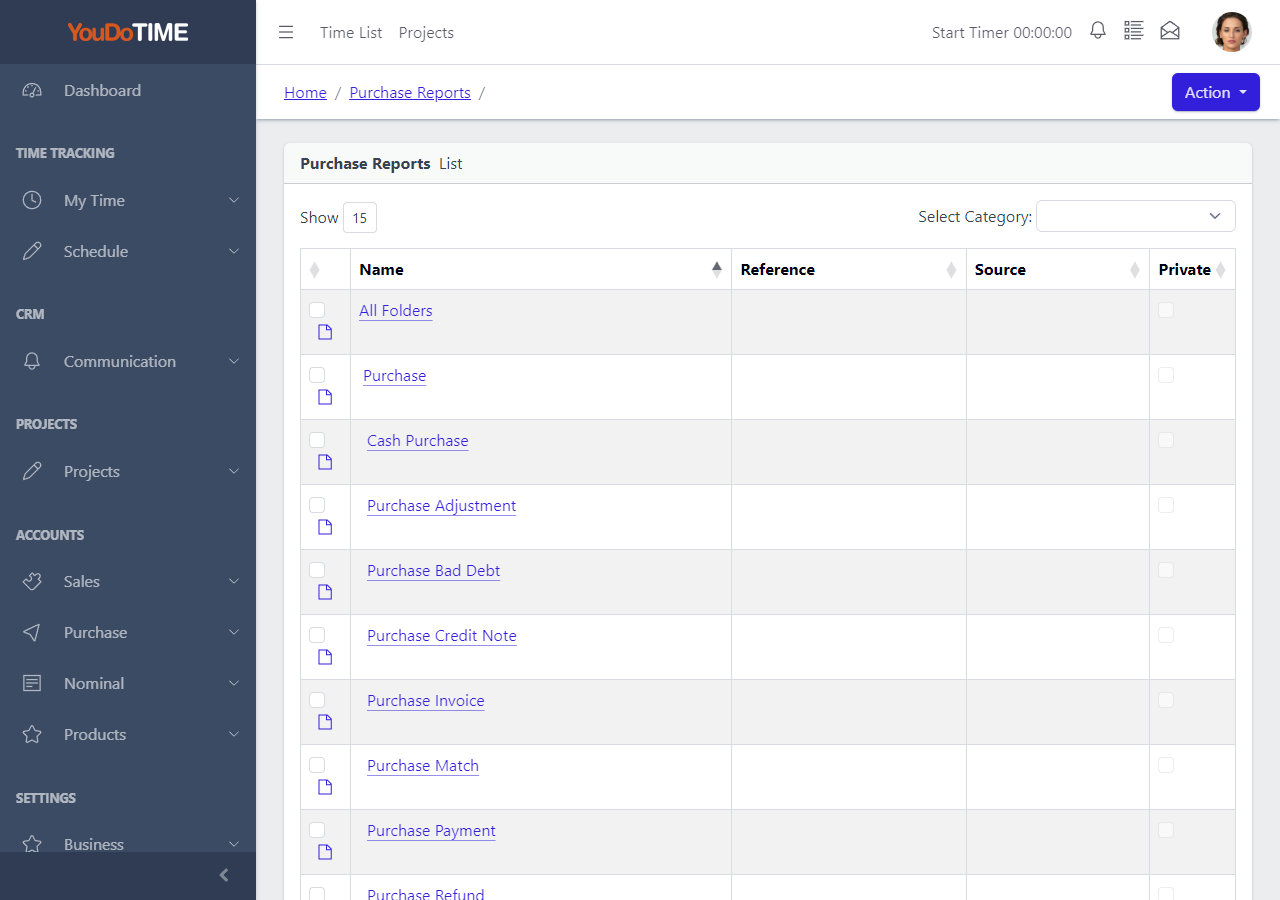
Purchase Reports
Six purchase reports covering creditor management, purchase coding and the purchase ledger. Grouped by supplier with full drill-down to the underlying invoices, credit notes and payments.
Every purchase report uses the same workflow: HTML on the fly, PDF on demand. Archived PDFs stack up inside the period folders so end-of-month packs build themselves as you go — browse by period or search by report name.
- Aged Creditors Detail and Aged Creditors List.
- Daybook for daily purchase postings review.
- Purchase Ledger and full Transaction List.
- Distribution Report to see where costs are coded.
Project reporting context
Project and sub-project reporting draws on the time, cost, sales and department information already attached to operational records.
This makes financial review part of the same project history rather than a separate reconstruction.
Project Reports
Profitability, costs, revenue and time by project and sub-project. Covers internal cost centres and customer projects, with department allocation carried through from the underlying transactions.
Because projects are first-class in YouDoAccounting — not an add-on module — project reporting uses the same workflow: HTML preview on the fly, PDF when you want a permanent copy. Archived PDFs sit in Documents under Reports alongside every other report, browsable by period and searchable by name.
- Project profitability and cost breakdown.
- Time posted per project and sub-project.
- Internal and customer project coverage.
- Department allocation carried through automatically.
Two report outputs
- Use the HTML result for immediate review.
- Generate a PDF when a fixed copy is required.
- Find saved output through the Documents area.
- Keep report copies with the wider business record.
Report Archive in Documents
Every PDF you generate is filed automatically in the Documents area under its report type, inside a folder for the accounting period. A balance sheet run for January 2025 lands at Nominal > Nominal Reports > 2025/01 > balance-sheet-76.pdf.
Find saved output by browsing the document structure or searching by report name, reference or keyword.
- PDFs filed by report type and period automatically.
- Browse the archive like a filing cabinet.
- Search by name, reference or keyword.
- No local folder to maintain, no files to misplace.
Continue through the accounts
Reports draw their meaning from the account structure, departments and report groups behind them.
Explore the nominal ledger