Events and Tasks
Events and tasks that work the way your team works.
Create on the lead.
Raise an event or a task from the sales lead detail — date, type, assignee, all from a single modal.
It flows automatically.
Events land in the team calendar; tasks land in the shared task list. No separate entry, no sync delay, no second tool to configure.
Everyone sees their view.
Roles and permissions decide who sees what. Salespeople see quotes and calls; developers see delivery work; the office manager sees both.
One system, every role.
Sales appointments and sales tasks belong on the sales lead — but they also belong in the calendar and task list the rest of the team lives in.
Picture a small company: one salesperson, a couple of developers, an office manager. The salesperson creates appointments to progress leads and raises tasks to fulfil quote requirements. The developers work from the Projects, Tasks and Time tracking views on whatever they are delivering. Everyone pulls from the same events and tasks records — they just see the slice their role needs.
No second calendar to configure, no separate task tracker to subscribe to, no per-seat upgrade. The whole thing lives inside your self-hosted YouDoCRM installation.
Download free edition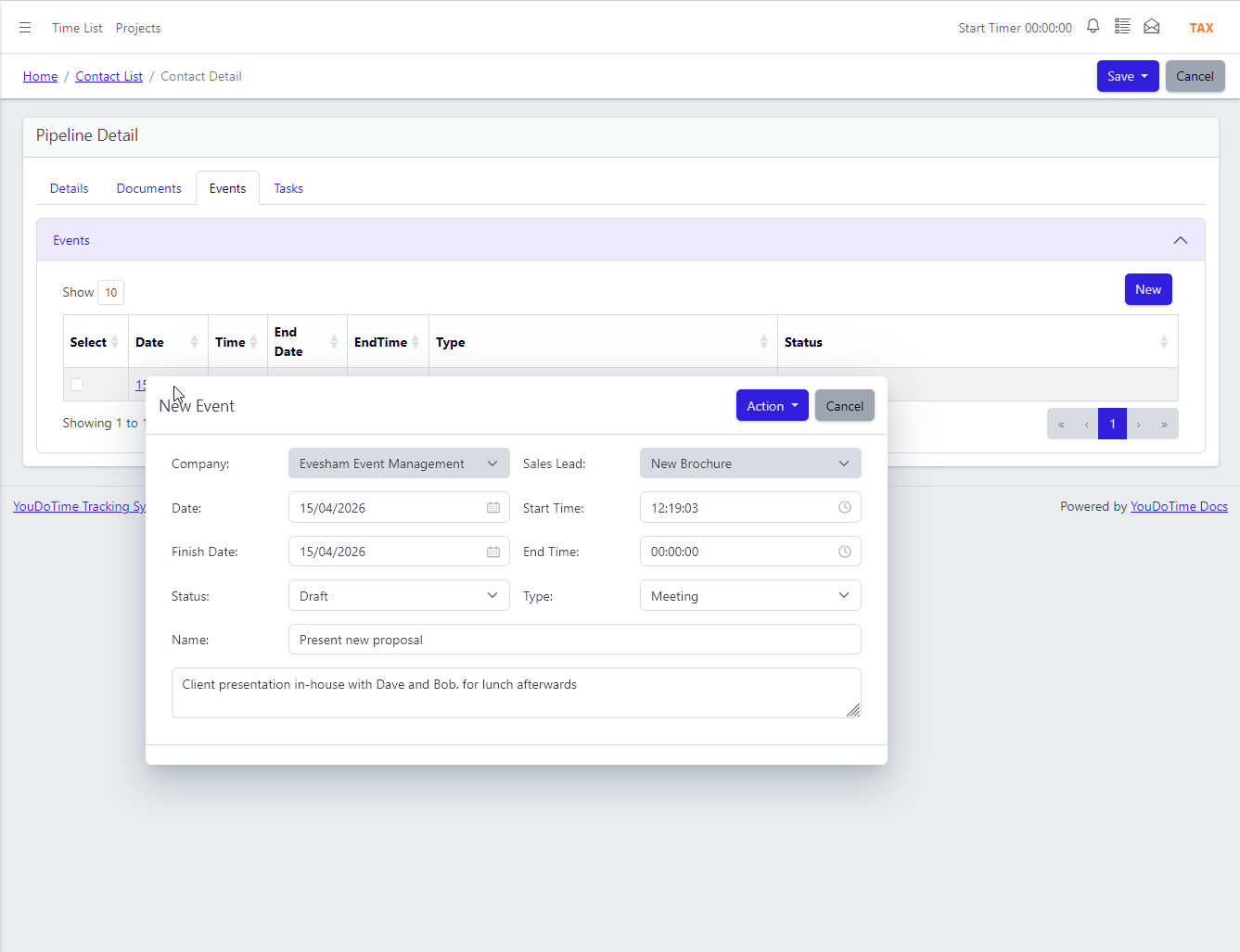
Schedule the next meeting from the lead itself.
Open a sales lead, click "New event" on the Events tab and a single modal captures everything: date, time, event type, attendees and notes. The entry is tied to the sales lead but is also a first-class calendar record — there is no double entry and no "remember to put it in Outlook later."
Every event type lives on the same modal: face-to-face meeting, phone call, site visit, online appointment. Reschedule the event from either the sales lead or the calendar; both views update in step.
Most cloud CRMs make you choose first — log a call over here, log a meeting over there, create a task somewhere else. Each opens a different screen with different fields. YouDoCRM keeps it as one modal so the salesperson stays focused on the lead.
- Meetings, calls and appointments on one modal.
- Linked to the lead, company and contact.
- Visible on the lead's Events tab.
- Reschedule from either side — both update.
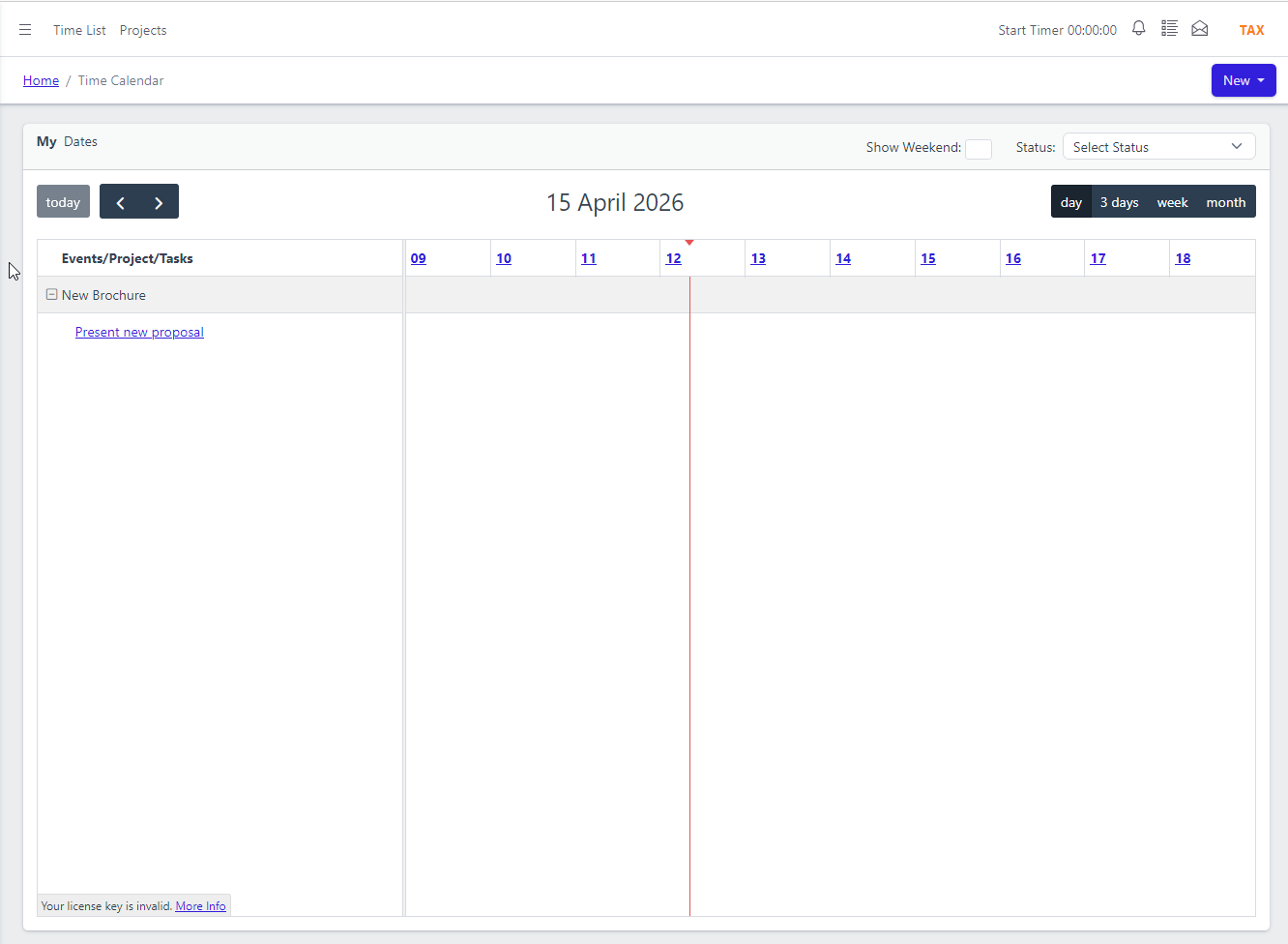
It shows up in the team calendar automatically.
No external calendar to sync. No OAuth connector to maintain. Mainstream cloud CRMs lean heavily on connecting your existing calendar — that means consent screens, sync intervals and the occasional "your calendar is out of sync" banner. YouDoCRM's calendar is part of the application; the event is on it the moment you save the modal.
The event you raised on the sales lead appears in the team calendar the moment you save it. No sync interval, no integration plumbing — the calendar and the sales lead are looking at the same record.
Filter the calendar by user, team or event type. A salesperson can focus on their own appointments; the office manager can see the whole team's week at a glance; a developer can check when the salesperson is pitching to a client they are about to deliver work for. Click any entry to jump straight back to the sales lead or project it came from.
- Day, week and month views.
- Filter by user, team or event type.
- Click any entry to open the lead or project.
- Calendar event and time entry are the same record — no separate timer.
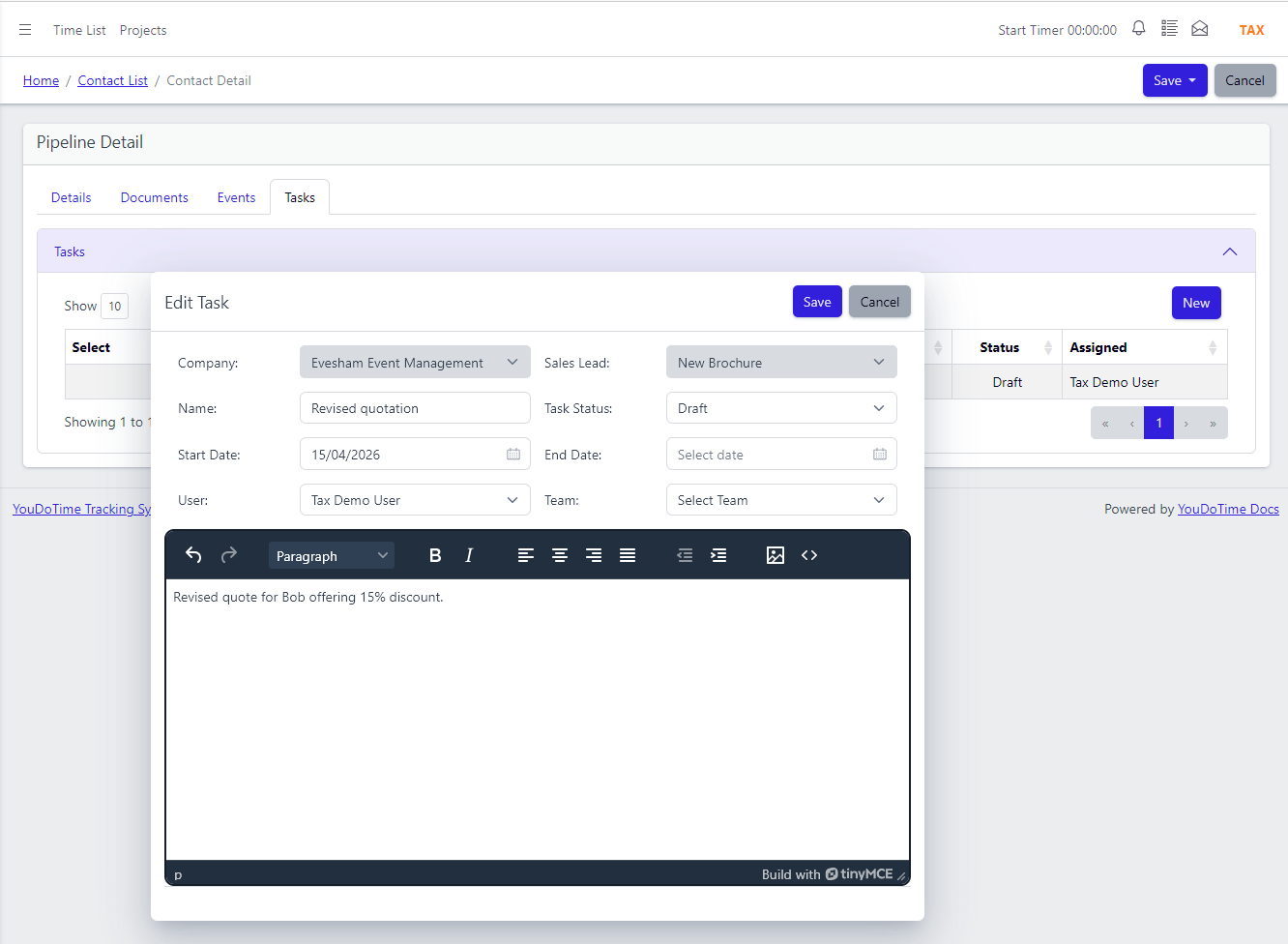
Tasks the sales rep needs, captured on the lead.
Prepare a quote. Send the proposal. Chase a reference. Follow up after the meeting. Sales work is full of short, specific actions that have to happen in order for the lead to progress — and each one needs to be visible to whoever is taking it on.
Raise a task from the sales lead using the same modal pattern as events: choose type, set the due date, assign it to a user, add a description. The task appears on the lead's Tasks tab, so anyone picking the lead up can see what is outstanding.
A single task can belong to both a sales lead and a project at once — uncommon in cloud CRMs, where a task typically has a single parent. It means the developer who picks up the work after the sale sees the same task the salesperson raised, in their project task list, without anything being copied or migrated.
- Raised from the sales lead via the same modal.
- Assign to any team member.
- Due date and priority driven.
- Can belong to both a lead and a project.
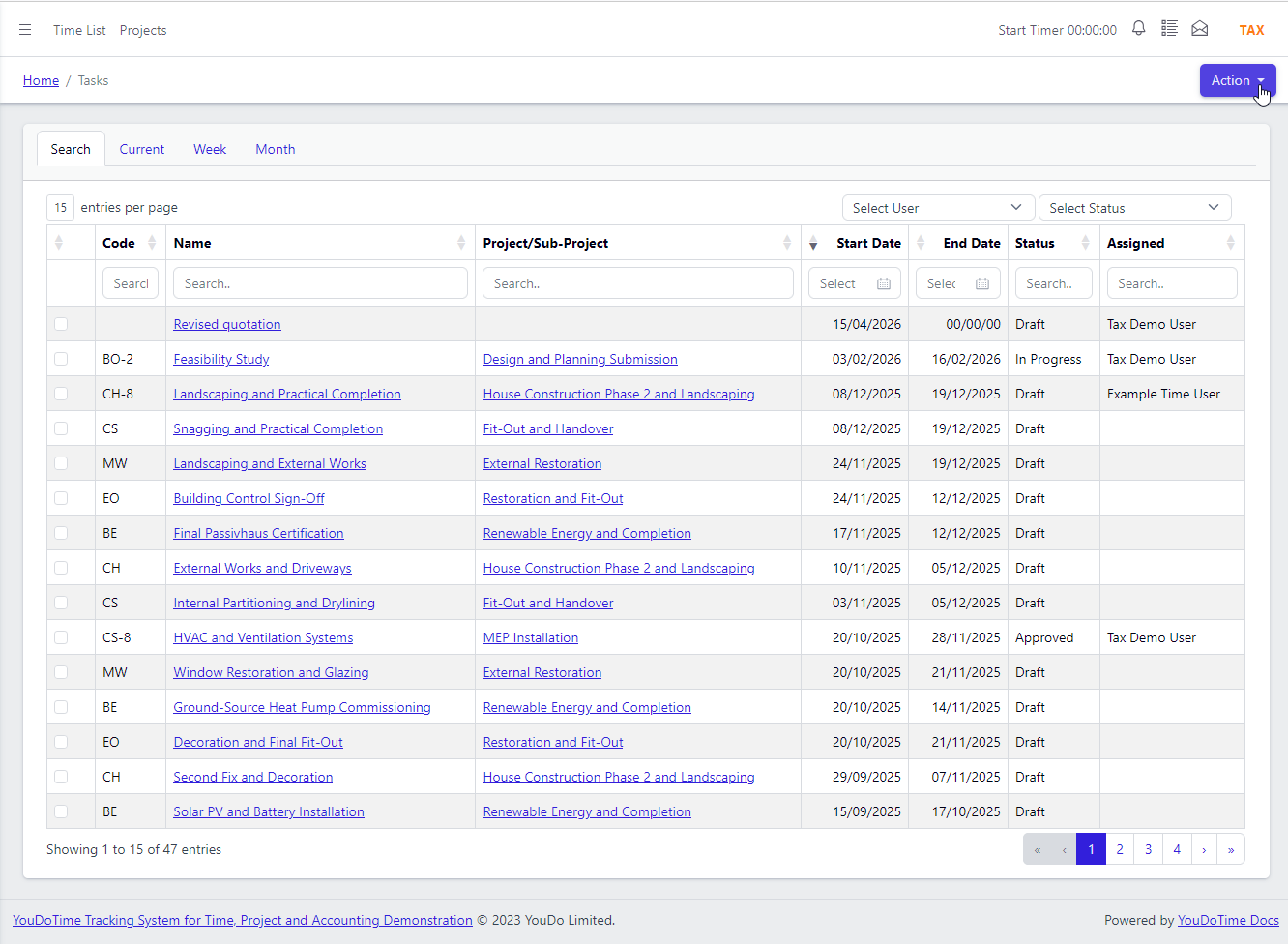
And in the shared task list alongside project work.
CRM tasks and project tasks live in the same list. The salesperson sees their quote-fulfilment tasks and follow-ups; the developers see their delivery work; the office manager sees the whole picture. One list, filtered by the role of whoever is looking at it.
Because tasks are children of either a project or a sales lead — or both at once — handover from sales to delivery is a matter of assignment, not migration. No separate CRM to-do tool to keep in sync. Users choose whether to see completed tasks in their list so finished work stays out of the way.
Many cloud CRMs leave delivery work to a separate tool entirely — their CRM tasks and any project work live in different applications. Even the cloud platforms that do bundle a project module typically keep CRM tasks and project tasks in different lists. YouDoCRM puts them in one list because they are the same record.
- Sales and project tasks in one list.
- Filter by project, lead, user or due date.
- Hide or show completed tasks per user.
- No separate CRM to-do tool to sync.
Frequently asked questions
Short answers on how events and tasks behave alongside the rest of YouDoCRM.
Not today — it is on the roadmap and will land soon. For now, YouDoCRM's calendar lives inside your installation. Events raised on a sales lead appear there without any integration plumbing to configure.
Roles and permissions decide. CRUD-based: if a user does not have permission, the records do not appear in any list and cannot be edited. Menus stay visible — the data is what is gated — so the experience remains consistent across roles.
Yes. Tasks are children of either a project or a sales lead, using the same underlying task record. One task can even belong to both at once, so quote-fulfilment work can tie to its delivery project from the moment it is created.
They stay tied to the user who owns them. If the same user handles both sales and delivery, their task list carries over cleanly from pre-sale work to post-sale. Every user can choose whether to see completed tasks or hide them, so finished work stays out of the way.
Yes. Assign a task to both a project and a sales lead from the task screen. This is useful when a salesperson raises a task that a developer will pick up on the delivery side — the task is visible from both perspectives without any duplication.
Yes. Calendar events feed into YouDoCRM's time tracking so recorded time ties back to the lead or project that generated it. No separate timer app, no manual re-entry of hours.
It isn't a sync. The calendar entry and the sales-lead event are the same record viewed two ways — there is no copy of the data sitting in a second system. Cloud CRMs typically rely on you connecting an external calendar via an OAuth integration and accepting the trade-offs (sync delays, auth refreshes, occasional "out of sync" warnings). YouDoCRM sidesteps all of that.