Sales and Invoicing
A connected route from quote to receipt.
Automatic Statement Emails
Prepare and email statements to multiple customers from YouDoAccounting, using the balances and transactions already held on their accounts.
Early Payment Discounts
Set an early-payment discount on the invoice and retain the terms with the sales document and customer account.
Integrated Quoting and CRM
Create quotes linked to the CRM pipeline, set follow-up tasks and produce PDF documents with supporting email attachments.
Sales documents in one working sequence
Keep statements, payment terms, sales documents and CRM follow-up within the same business record.
Quotes, orders, invoices, credits, receipts and statements share the same customer and transaction history, with PDF output retained alongside the accounting record.
Because YouDoAccounting runs on your own hardware, every invoice, quote and statement is stored locally as a PDF with no storage limits. Your billing data stays under your control.
Customers and suppliers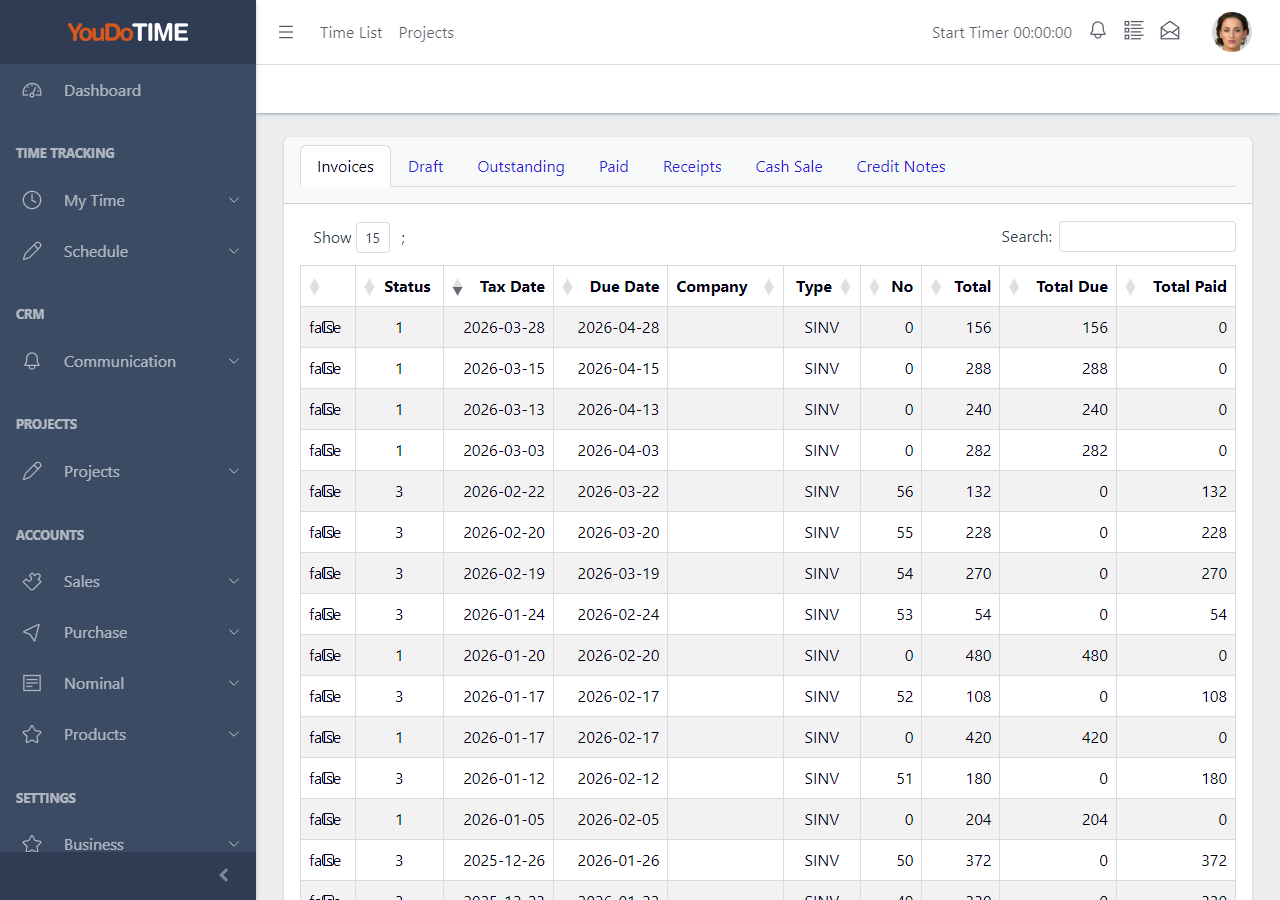
Sales List
The sales list gives staff a clear working view of invoice activity across customer accounts. It is useful for checking what has been raised, what remains open and which invoices need attention.
Because the sales register sits inside the wider application, users can move from the list to the customer record, payment history and related project work without leaving the system.
- Review invoice activity in one list.
- Check billed and outstanding work quickly.
- Keep customer account context close to billing.
- Work faster on a locally hosted system.
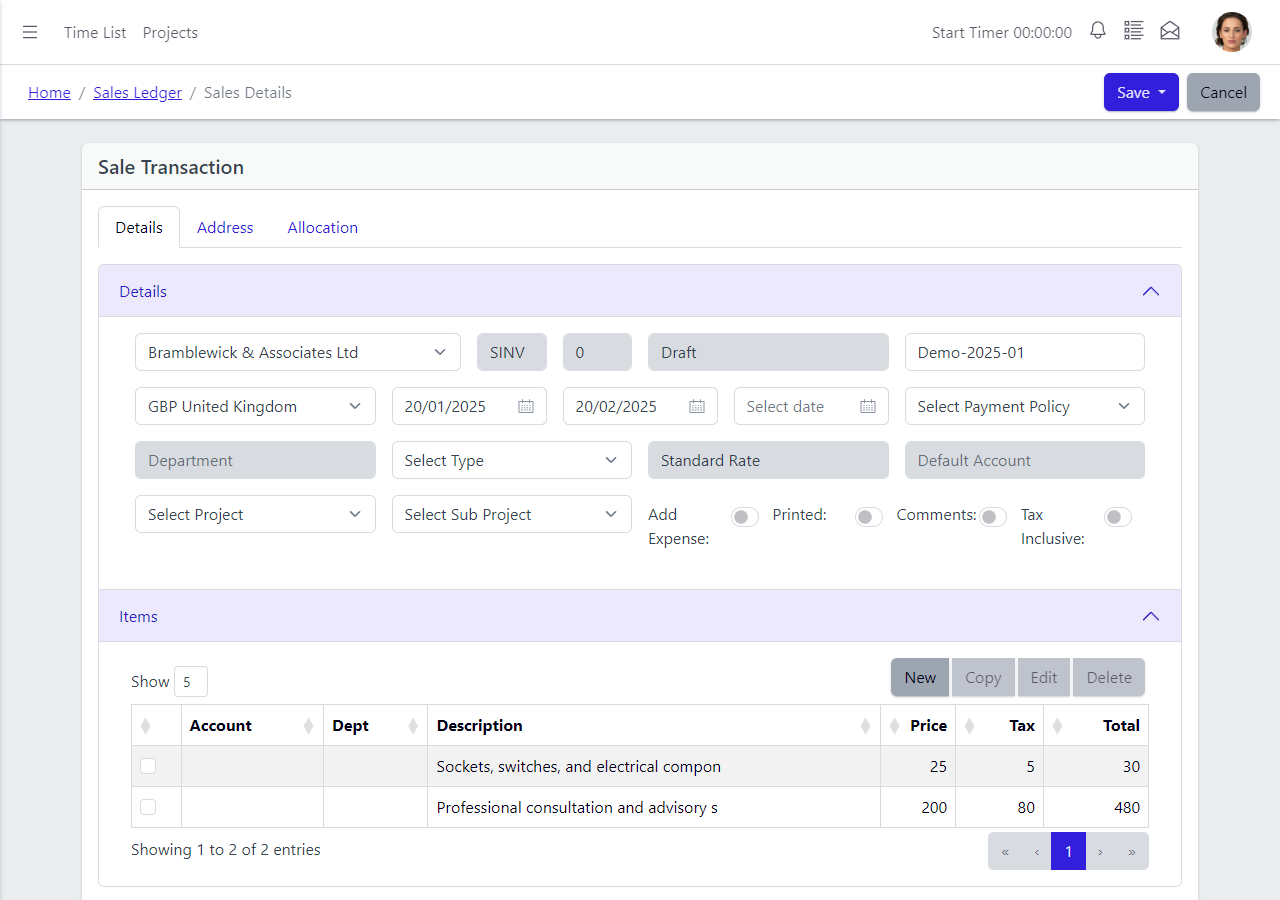
Sale Detail
The sale detail view shows the line-level content of an invoice or sales transaction. Staff can check what has been billed, confirm the customer information and review how the record has been prepared.
This is useful when queries arise because the user can inspect the transaction directly instead of relying on a separate exported document or an external billing portal.
- Inspect one invoice in detail.
- Confirm customer and line information.
- Support cleaner billing queries.
- Keep invoice data inside your own system.
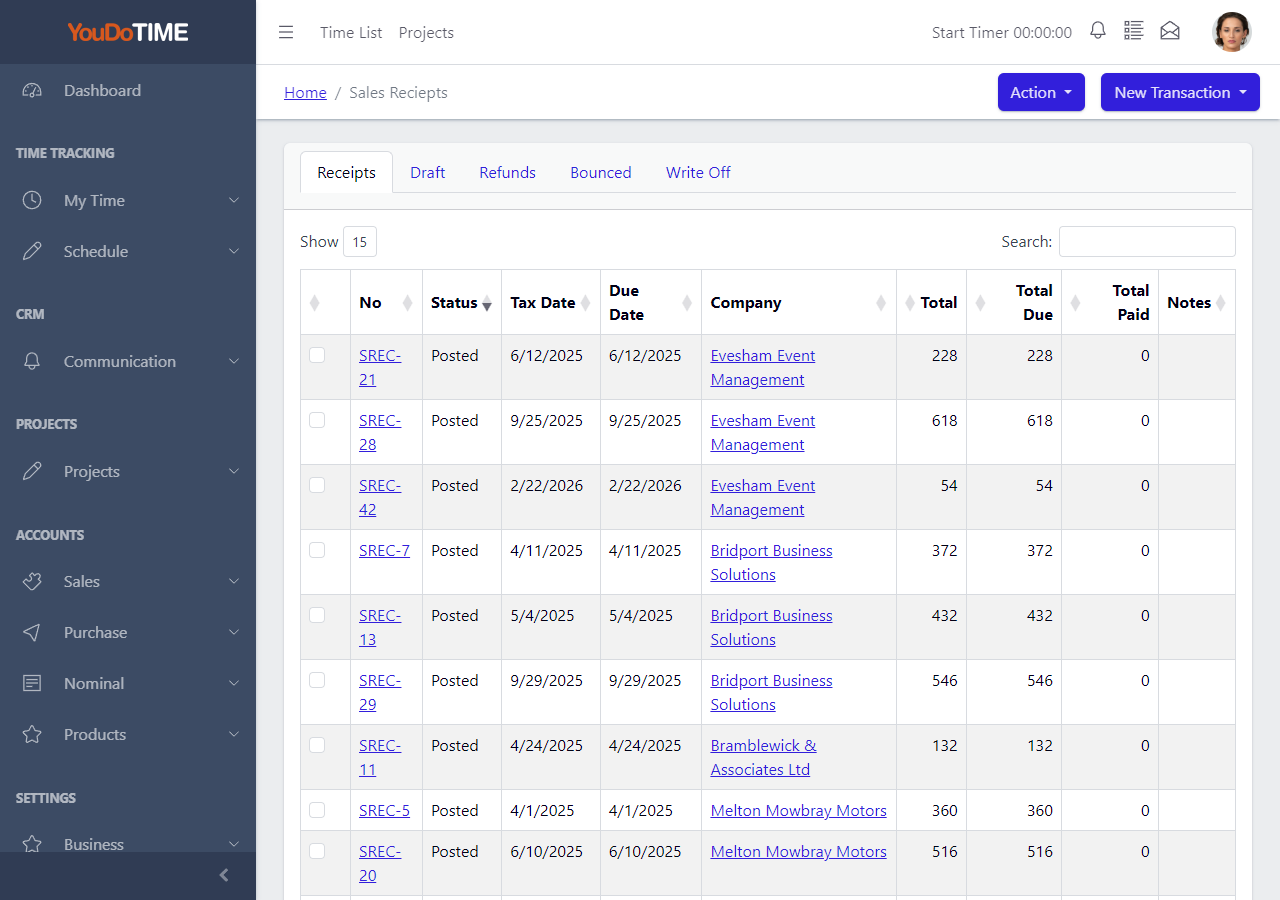
Sales Receipt List
The sales receipt list shows how invoices are being settled. This helps the business review payment activity, support credit control and understand which accounts are clear or still outstanding.
- Review receipt history against customer invoices.
- Match payments to the right customer account.
- Support credit control and outstanding balance review.
- Keep receipt and invoice data inside your own self-hosted system.
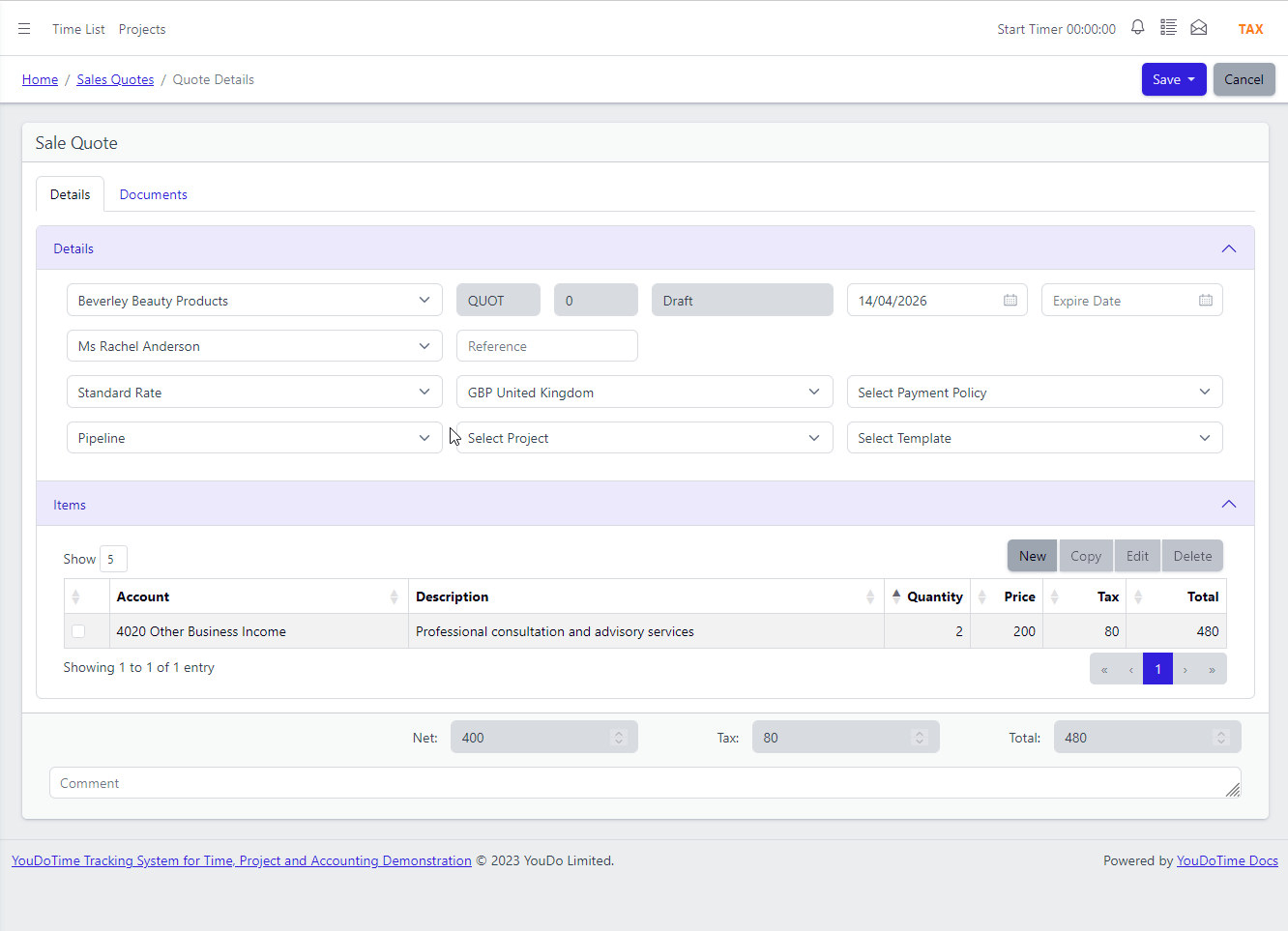
Sales Quotes
Quotes can be linked to the CRM pipeline, with tasks used to plan follow-up while the PDF and customer history stay connected to the sales record.
Every quote is produced as a PDF and you can attach additional files when sending by email, such as product brochures, terms of business or technical specifications.
- Linked to CRM with task reminders for follow-up.
- Produced as PDF and stored on your server.
- Attach additional files when emailing quotes.
- Convert accepted quotes to invoices in one step.