Purchases
A connected route from supplier invoice to payment.
Batch payments with credit notes
Pay multiple supplier invoices in one run and include relevant credit notes in the same batch.
Dispute and approval control
Mark a posted purchase invoice as disputed without voiding it, or return an unposted item for correction before it reaches the ledger.
Email suppliers with attachments
Include supporting documents such as drawings, specifications or delivery information when emailing a purchase order to a supplier.
Purchasing with its business context intact
Supplier, project, department, payment and supporting-document information remains part of the same purchasing record.
YouDoAccounting does them out of the box. Batch payments that include credit notes. A formal dispute status on posted bills. The ability to unapprove before posting. Supplier emails with genuine document attachments.
Purchases can be allocated to internal or customer projects with sub-projects, and to any number of departments as cost centres. Allocations work per line or per invoice, with a global default to speed up data entry.
All of it on your own hardware, with PDF copies of every bill and payment stored locally and no third-party add-ons required.
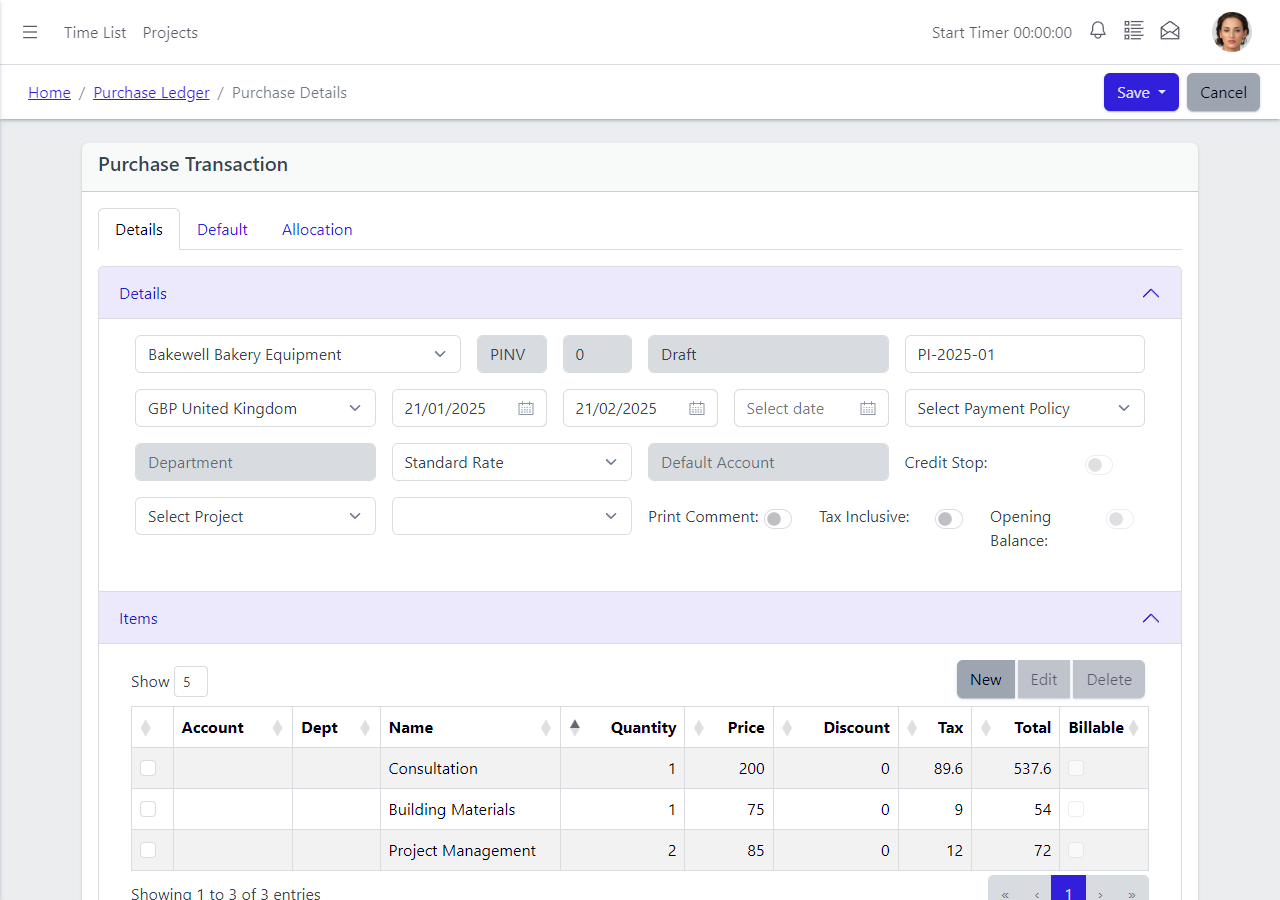
Purchase Detail
The purchase detail screen brings every supplier transaction under one set of controls — status, approval, project allocation and coding — so the record can be managed without bouncing between separate screens.
The purchase detail brings supplier information, document values, project and department allocation, approval state and dispute status into one working view.
- Mark as disputed after posting — keeps the cost in the ledger without paying.
- Approve or unapprove before posting — no need to void and re-enter.
- Allocate to projects and sub-projects — hierarchical, not a sub-customer workaround.
- Allocate the whole purchase or individual lines — faster than per-line assignment.
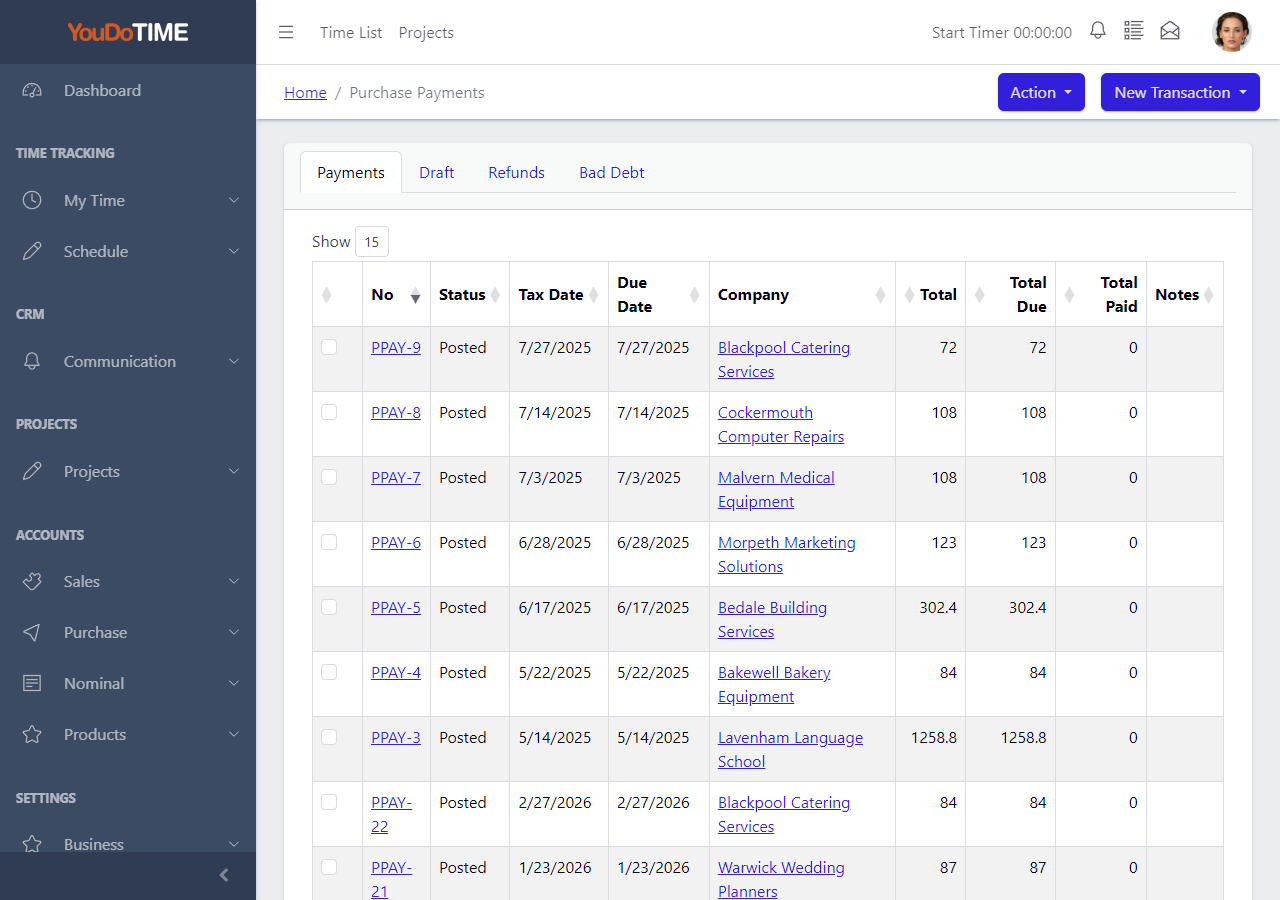
Purchase Payments List
The purchase payments list helps the business review how supplier balances are being settled. It gives finance staff a practical view of outgoing payments and the liabilities they clear.
Build a payment from the supplier items being settled and include applicable credit notes alongside invoices in the same batch.
That supports better cash planning and makes it easier to answer supplier queries without moving between different systems.
- Review supplier payment activity.
- See how balances are being cleared.
- Support practical cash control.
- Keep payment data within your own network.
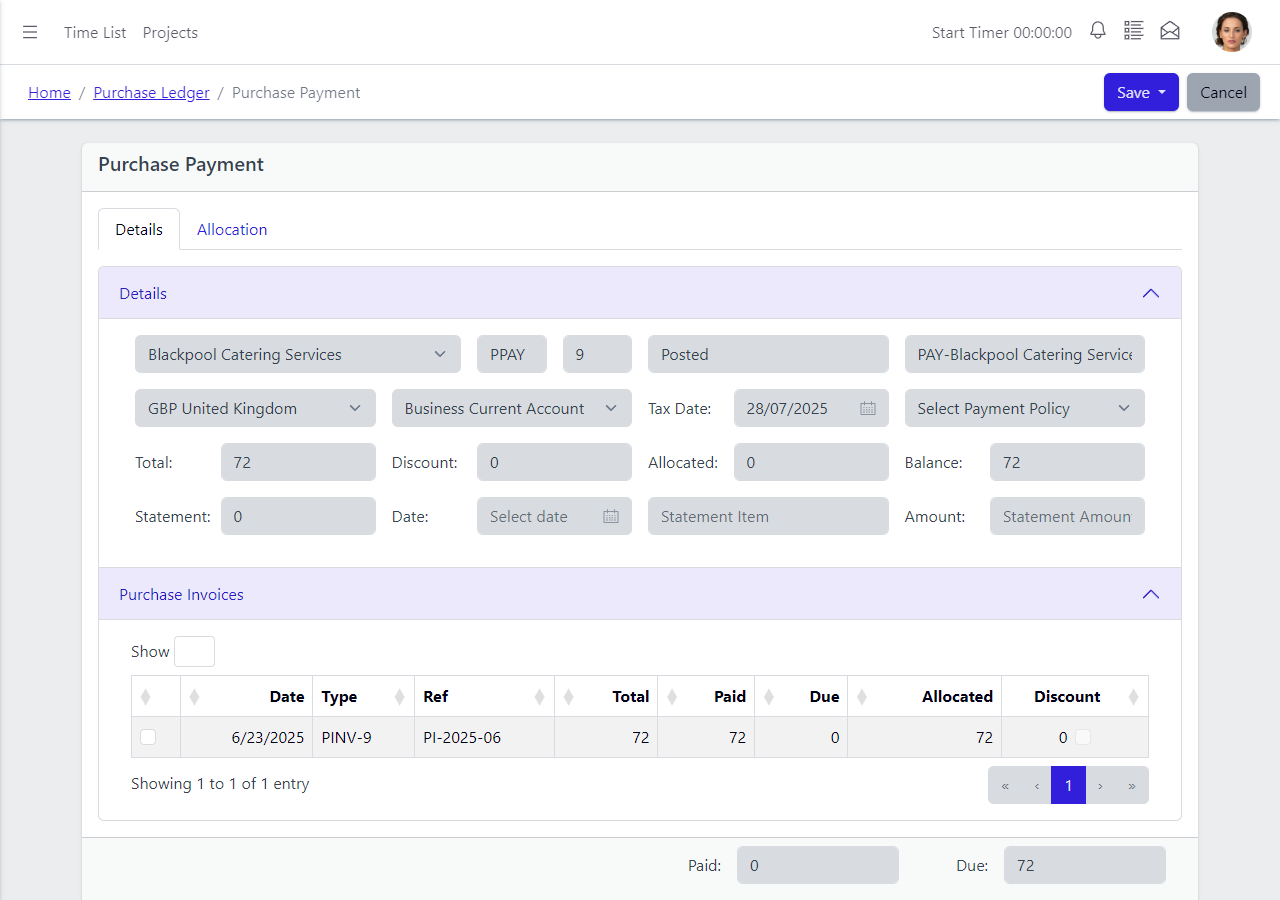
Purchase Payment Detail
One payment screen handles every kind of outgoing transaction. Choose the payment type and YouDoAccounting records it correctly — no separate workflows, no Chart of Accounts gymnastics, no workarounds.
The payment workflow covers supplier invoices, credit notes and direct cash purchases while retaining the correct transaction type and nominal effect.
- Cash purchase — one-step entry with no bill required.
- Purchase invoice payment — single or batch with credit notes.
- Refunds — from suppliers recorded directly.
- Bad debt write-off — built-in, not a credit note workaround.