Projects and Sub Projects
Project management that connects to your whole business.
Most project tools live in isolation. YouDoProjects connects your projects to your CRM, your accounts, and your time — so nothing falls through the gaps.
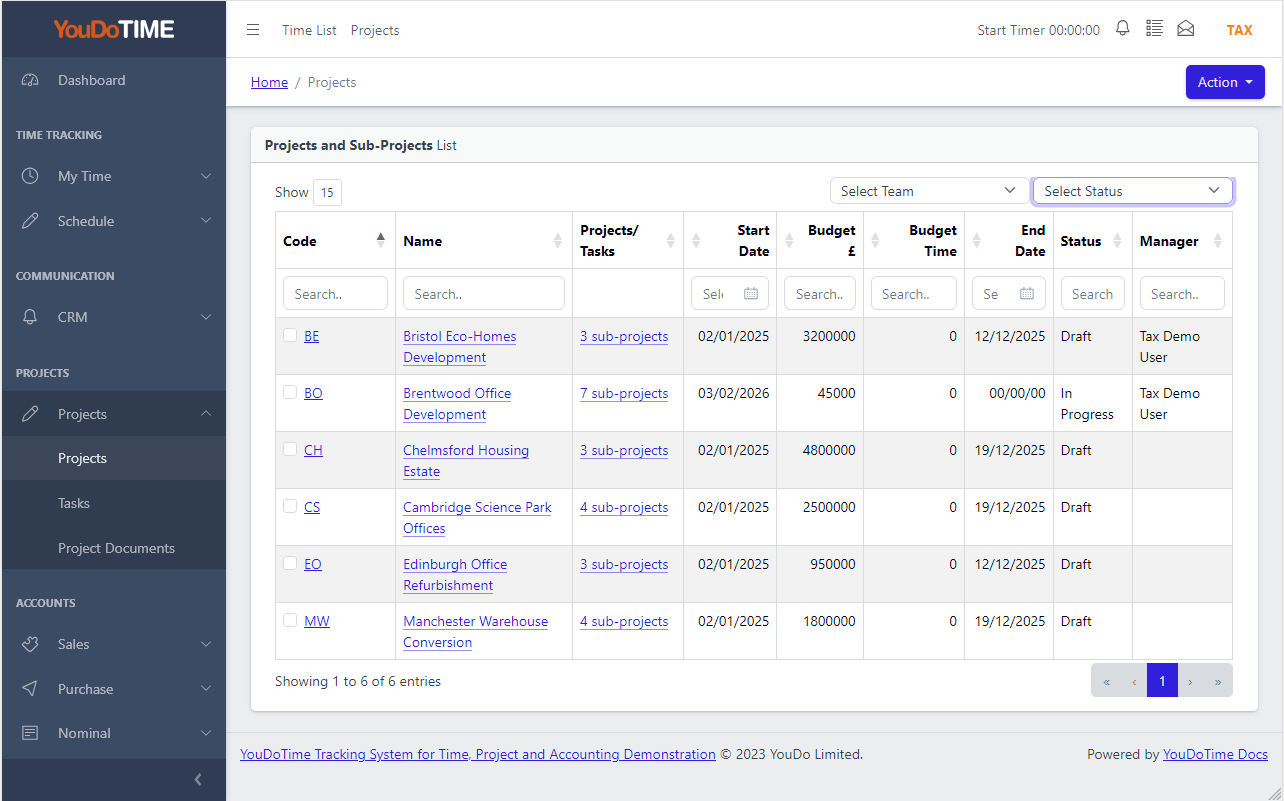
Your projects, all in one place
See every active project at a glance — with status, start and finish dates, owner and linked customer shown clearly in the list.
Filter by status to focus on what is in progress, flag what is on hold, and archive completed work without losing the history. Because YouDoProjects runs on your own server, there are no per-user fees — your whole team is included.
- Status: Draft, In Progress, On Hold, Completed, Archived
- Start and finish dates with owner and team assignment
- Archive a project and its tasks disappear from every list automatically — search stays relevant as your history grows
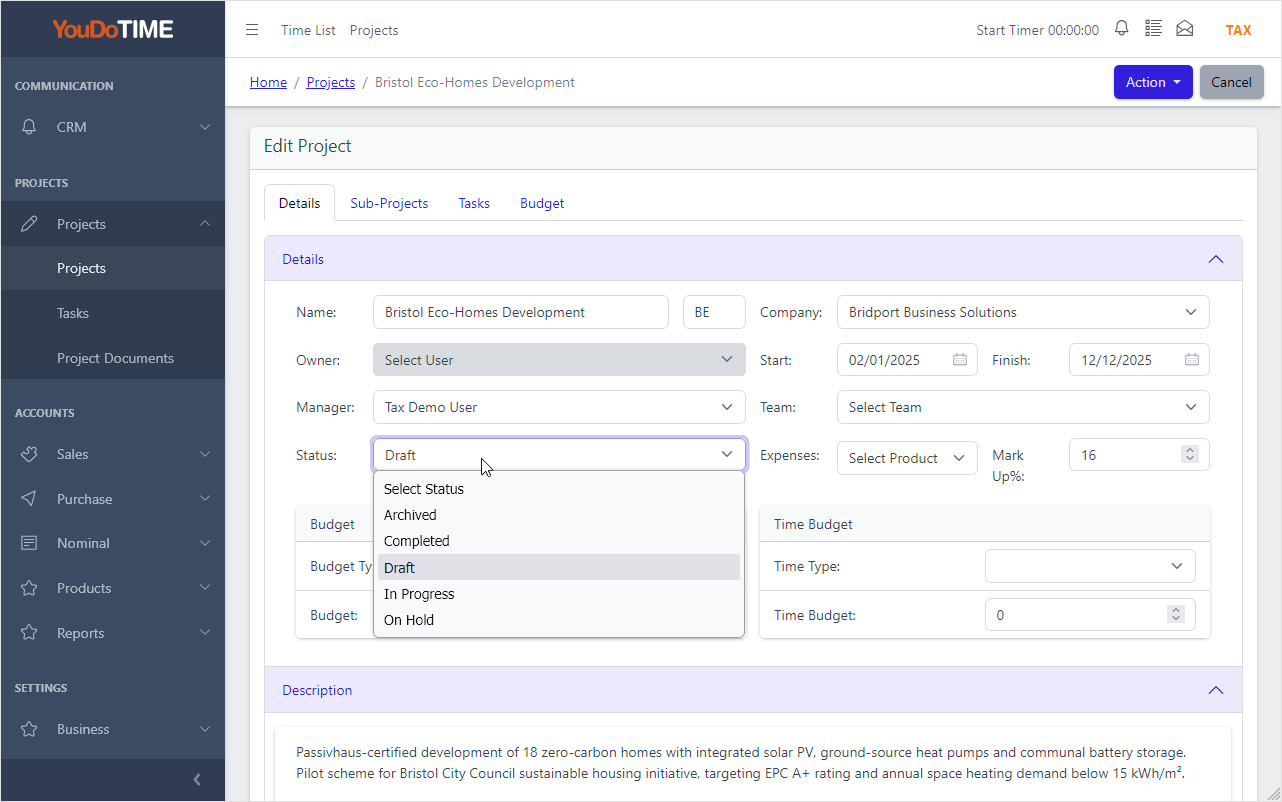
The project is your workspace
In most tools, projects and tasks are separate. In YouDoProjects, the project detail page is where work happens — and every list always brings you back here.
Tasks, sub-projects, budgets, documents, expenses and comments all live under the same roof. Assign an owner, a manager and a team. Set a start and finish date. Link the project to a customer company — and because that company record is shared with your CRM and accounts, there is no duplicate data entry.
- One page for tasks, sub-projects, budget, documents and expenses
- Owner, manager and team fields with user selection
- Shared company record across CRM, projects and accounting
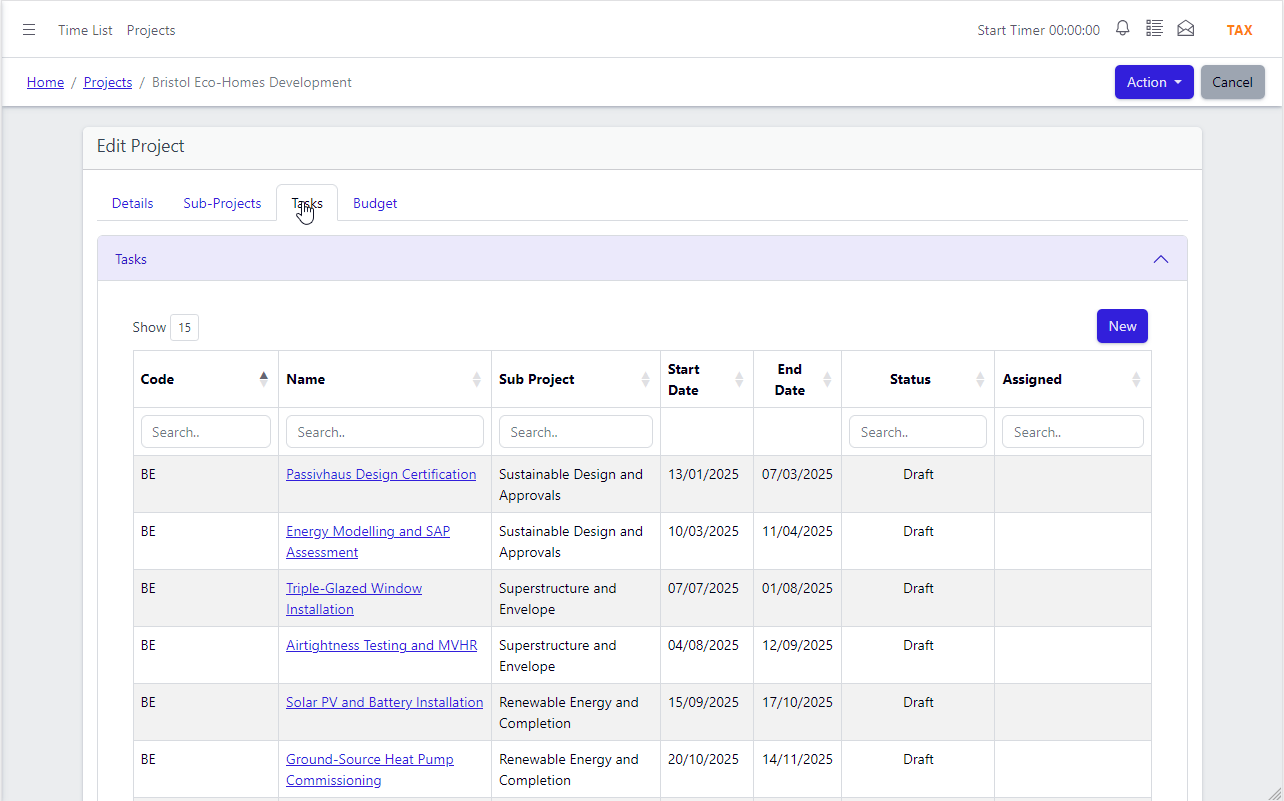
Tasks that belong to the project
Tasks are managed from within the project — not from a separate app-wide task list that loses context.
Assign each task to a user, set a deadline and a priority. Team members can work across multiple tasks on multiple projects simultaneously, but when they open a task the project is always right there. Notifications alert users when they are assigned a task or when a comment is added, so nothing gets missed.
- Per-user task assignment with deadlines and priority
- Notifications on assignment and new comments
- Task detail always shows the parent project
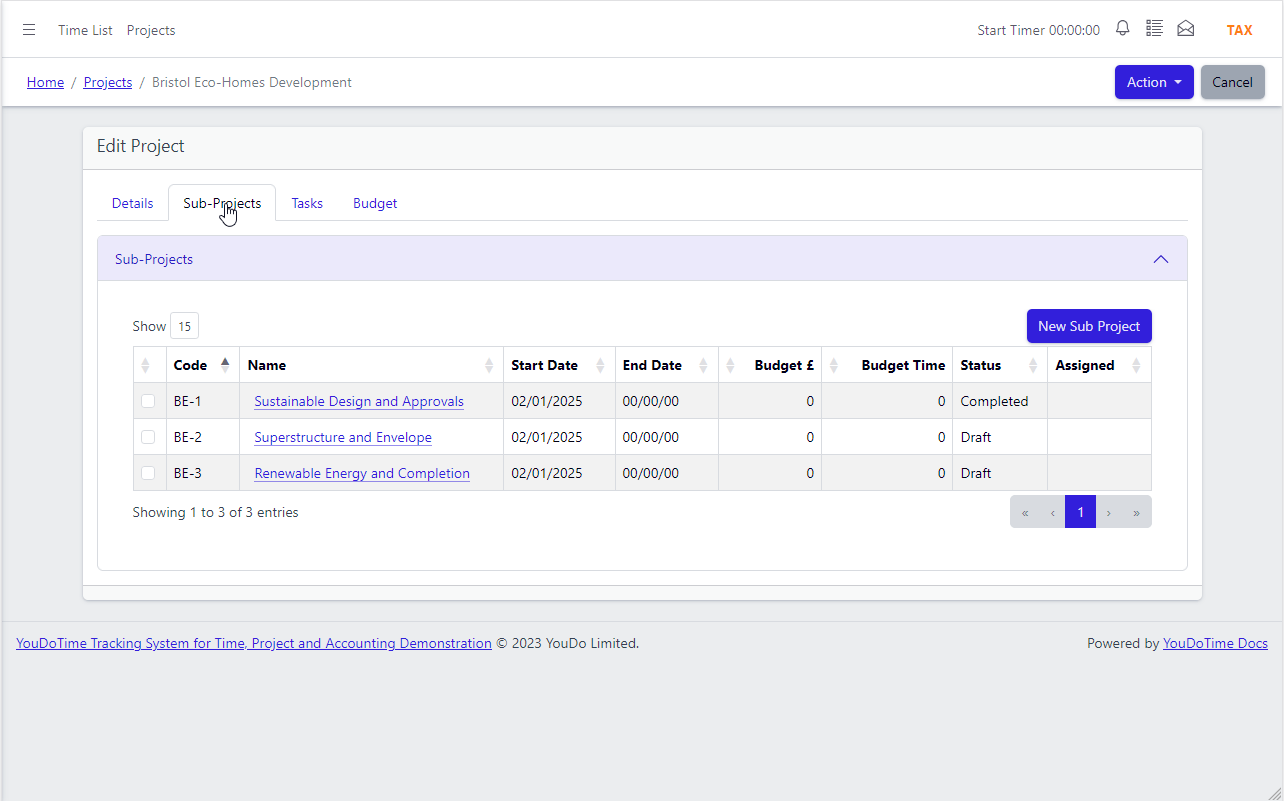
Break complex projects into sub-projects
Large projects rarely fit in a single list. Sub-projects let you structure work into phases, workstreams or teams — all under the parent project.
Each sub-project behaves exactly like a full project — it has its own tasks, comments, documents and expenses. Progress on sub-projects rolls up to the parent, giving you a clear view of the whole without losing detail at the working level. This is the same model used by Jira, brought to your own server.
- Unlimited sub-projects per parent project
- Each sub-project has its own tasks, documents and expenses
- Same Jira-style structure, running on your own network
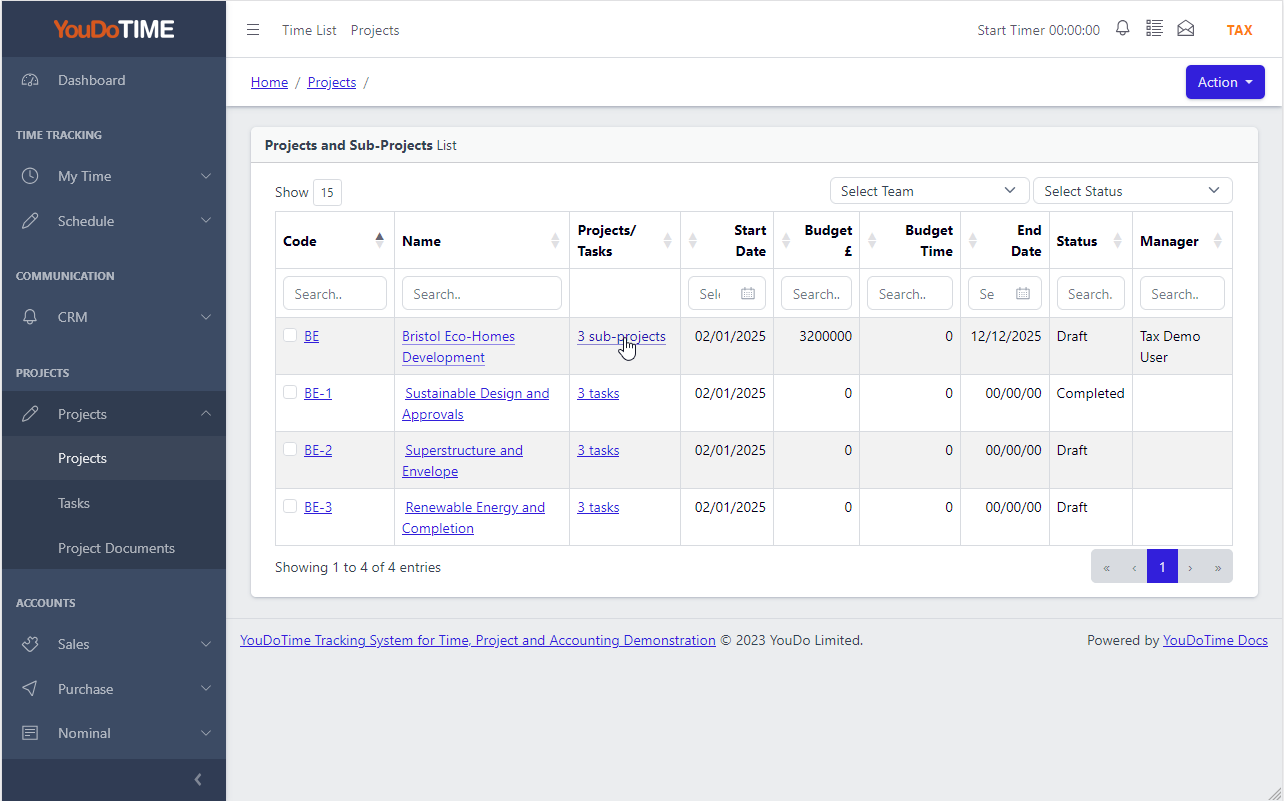
Sub-project overview at a glance
See all sub-projects for a parent project in a single list — status, ownership and progress tracked across every workstream.
When managing a large engagement, the sub-project list gives you a helicopter view without having to open each one individually. Jump directly into any sub-project to work on its tasks, or return to the parent to review the full picture. Navigation always stays within the project hierarchy.
- All sub-projects listed with status and owner
- Navigate directly into any sub-project from the list
- Return to parent project with one click
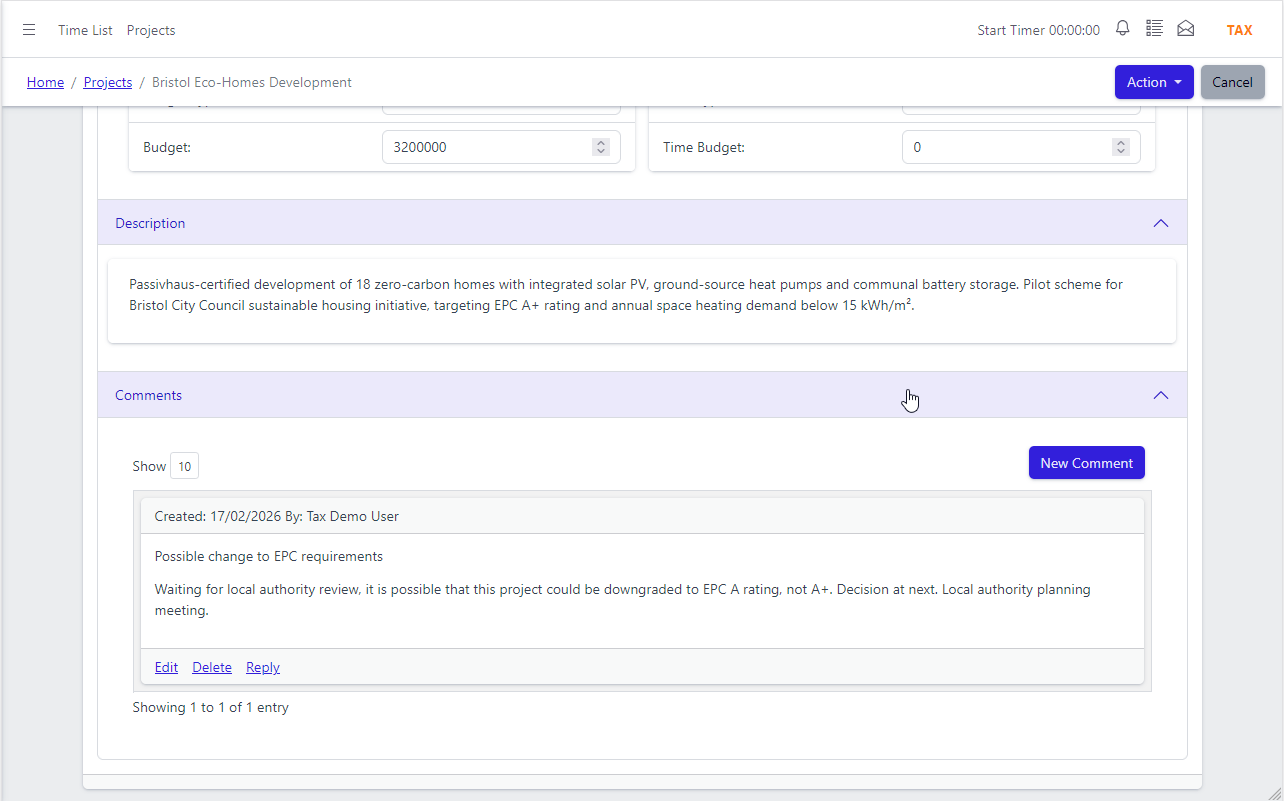
Collaborate in context
Discussion belongs with the project, not scattered across email threads. Comments are posted directly on the project and team members are notified automatically.
Every comment is timestamped and attributed to the user who posted it, creating a clear audit trail of decisions and updates. No need to search email for the conversation — it is right there on the project page, alongside the tasks and documents it relates to.
- Threaded comments on every project and sub-project
- Automatic notifications when comments are posted
- Full comment history with timestamps and user attribution
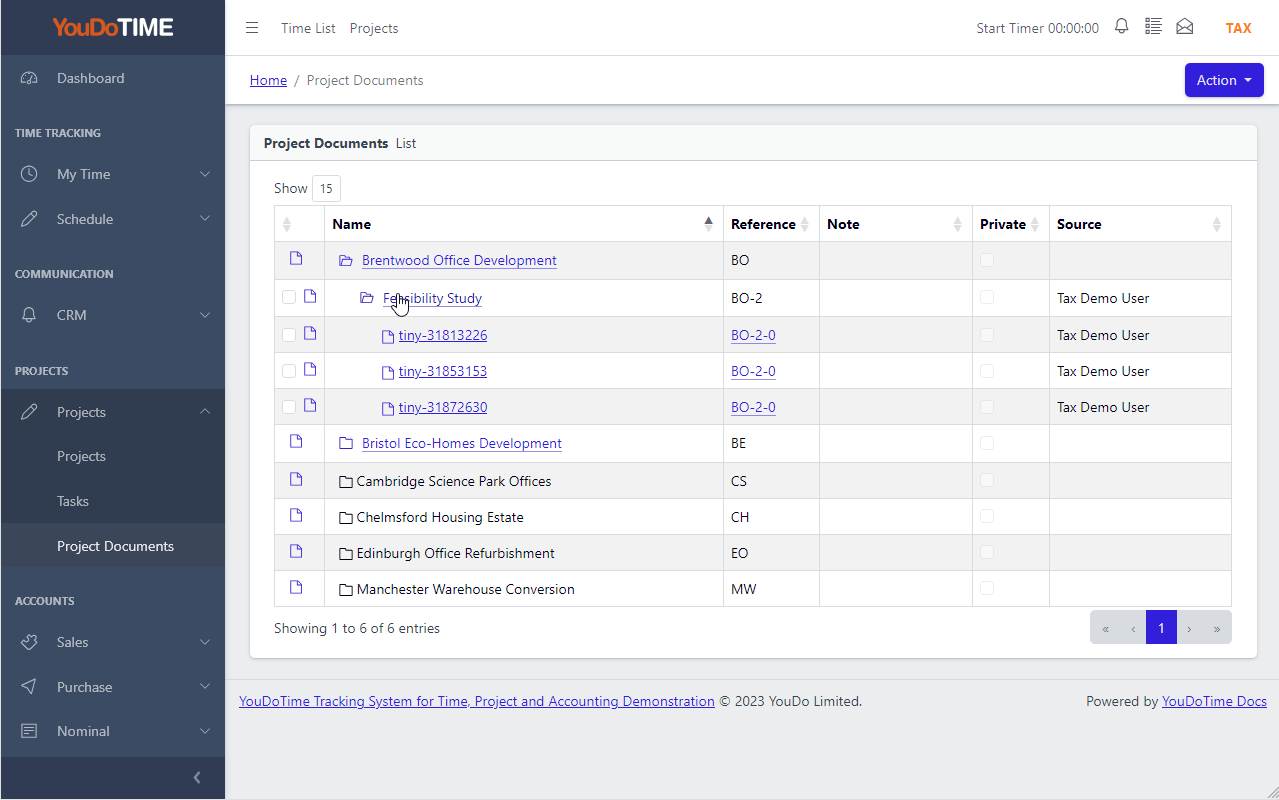
Files and images, automatically organised
Upload files or paste images directly into the project editor — YouDoProjects handles the rest, generating thumbnails automatically.
Every document and image attached to a project is listed in the project document view, so nothing gets buried in a shared drive. Images pasted or uploaded via the built-in editor are stored on your server and thumbnails are created automatically — no manual resizing, no third-party storage fees.
- Attach files and images directly to any project
- Thumbnails generated automatically on upload or paste
- All documents listed and accessible from the project page
App Features
Project management that connects to your whole business — not just your task list.

Jira Import
Already on Jira? Import your projects in minutes using a standard Jira XML backup — no third-party connector required.

Time Budgeting
Set an estimated time budget per project. Track actual hours logged via Project Timesheets and see at a glance whether you are on track.

Project Timesheets
Every time entry logged by your team against a project appears in Project Timesheets — a complete record of who did what and when.

Unlimited File Storage
Files and documents are stored on your own server — no per-file limits, no storage tiers, no extra charges as your library grows.

Project Status
Five clear statuses — Draft, In Progress, On Hold, Completed, Archived — keep your project list meaningful and easy to filter.

Project Budget
Set financial and time budgets per project. Expenses and time costs flow into integrated accounting automatically.