
Sales opportunities
Record the owner, team, stage, status, priority, dates, budget, value and product behind a developing opportunity.

Prospects before customers
Keep early sales contacts in CRM, then create the accounting customer when the commercial relationship is ready.

Events and tasks
Plan meetings, calls and follow-up work with dates, participants and notes linked to the relationship.

Campaigns and messages
Use shared contacts, segments and templates for transactional batches, announcements and marketing campaigns.
Develop customer relationships in the same system that delivers the work
Manage prospects, opportunities, follow-up activity, documents and email campaigns without separating the commercial conversation from projects and accounts.
YouDoCRM is the relationship-management area of the self-hosted YouDoSoftware application. It provides a place for early-stage contacts and sales activity, then supports the transition into customer, project and accounting records.
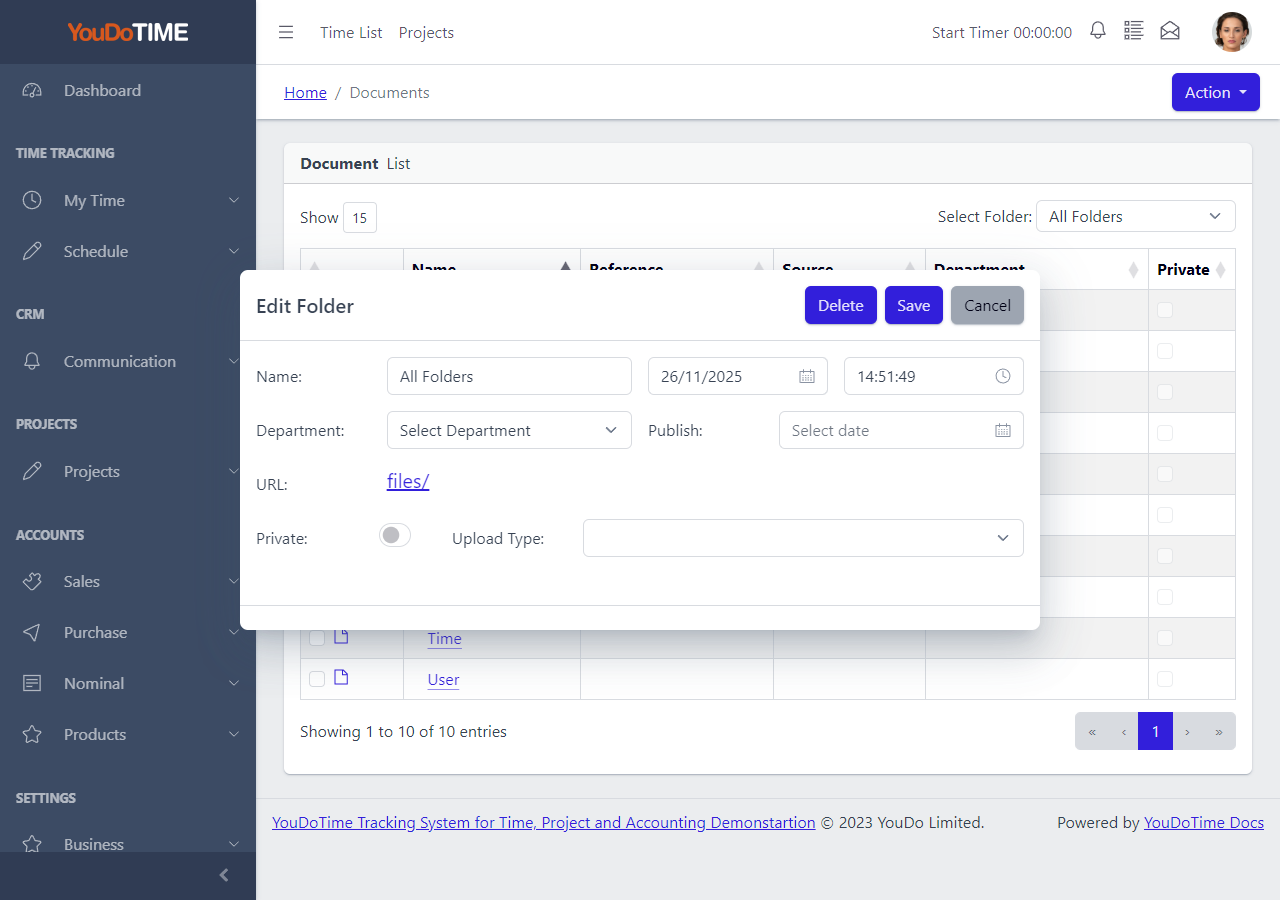
Relationship documents
Keep supporting material under local control
CRM documents are stored within the self-hosted application, where they can be organised into folders and associated with departments. Folder privacy provides an additional control for material that should not be generally visible.
The document area gives commercial teams a shared location for the files that support a relationship, without requiring a separate document subscription or moving the material away from the related business records.
- Create folders for different customers, opportunities or working groups.
- Associate folders with a department where that helps organisation.
- Use private folders for more restricted working material.
The CRM workflow
From first interest to an active customer relationship
The detailed pages cover individual screens; the overview concentrates on the records that connect the wider commercial journey.
Sales pipeline
Track each opportunity with its company, contact, owner, team, stage, status, priority, expected dates, budget and value so the next commercial action is visible.
Pipeline features
CRM dashboard
Bring pipeline and activity summaries into a single starting point, helping users move from an overview into the records that need attention.
Dashboard featuresEvents and follow-up
Record meetings, calls and other scheduled activity with their participants, dates and notes, then keep the relationship history available to the people involved.
Event featuresEmail campaigns
Send transactional batches, announcements or marketing email to selected contacts. Use Amazon SES or your own SMTP service and retain campaign results for review.
Campaign featuresWhere YouDoCRM differs
The relationship does not stop at the CRM boundary
YouDoCRM keeps prospects distinct from accounting customers while a sales relationship is developing. When that relationship progresses, shared YouDoSoftware records provide a route into customer accounts and project delivery.
The campaign engine also uses the same contact data and template system as operational email. You choose Amazon SES or your own SMTP server, and can choose whether a campaign retains every message body for a fuller audit trail.
Prospects remain prospects
Develop early relationships in CRM without filling the accounting customer list before there is a trading relationship.
One campaign engine
Use shared filtering, templates and reporting for customer communications, transactional batches and marketing campaigns.
Self-hosted customer records
Keep CRM data, documents and related operational records in the same locally controlled YouDoSoftware installation.
Evaluate YouDoCRM as part of YouDoSoftware
Explore the detailed CRM areas, compare plans or download the installer for your Windows PC or Mac.