Nominal Ledger
Chart of accounts and nominal ledger
Start with the accounts you need. See how every account is classified, reported and controlled.
The chart of accounts forms the nominal ledger—also called the general ledger. YouDoAccounting combines a trade-relevant starting structure with explicit reporting groups and whole-year balance views.

A relevant starting chart
Select a supplied chart designed for the Making Tax Digital trade, then adapt the accounts as the business needs more detail.
Chart of accounts
Explicit Report Groups
Place an account in the financial statements without making its code or accounting category do two different jobs.
Reporting structure
The whole year on screen
Review opening and current balances with all 12 accounting periods in the working ledger, not only in a generated report.
Balance views
Visible period status
See the dated periods for each financial year with separate status columns for the Sales, Purchase and Nominal ledgers.
Financial periods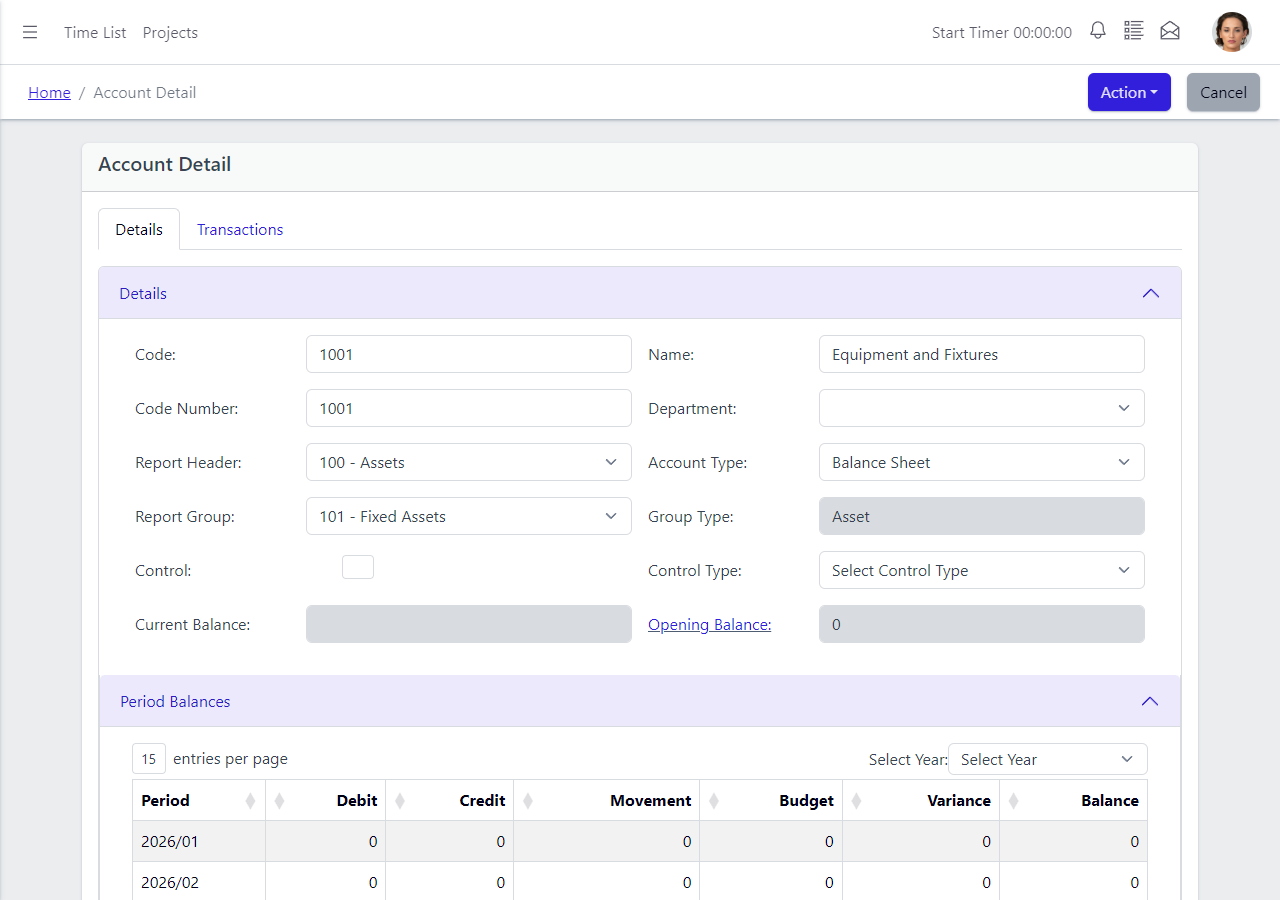
Reporting structure with a defined job
A Report Group places the account. It does not change what the account is.
In some charts, nominal-code ranges also determine where an account appears in the financial statements. Other systems move that decision into a separately maintained report layout. YouDoAccounting keeps the reporting choice visible on the nominal-account record.
The Report Header and Report Group determine the account's position in the hierarchy. Account Type, Group Type and Control Type remain separate, so changing presentation does not silently change the account's accounting behaviour.
Create a top-level report header and the child groups beneath it, then assign the detailed accounts. Rent Deposit and Prepayments can remain separate accounts for transaction entry, for example, while both sit beneath a clear Prepayments reporting line.
- Keep report position separate from account behaviour.
- Use report headers with child groups beneath them.
- Assign the reporting position on the account record.
- Retain detailed accounts behind concise report headings.
A chart suited to the work
Begin with accounts designed for the trade, not one oversized general list
YouDoAccounting provides selectable starting charts designed for different Making Tax Digital trades. Choose the relevant structure, then add or amend accounts when the business or its accountant needs a more detailed view.
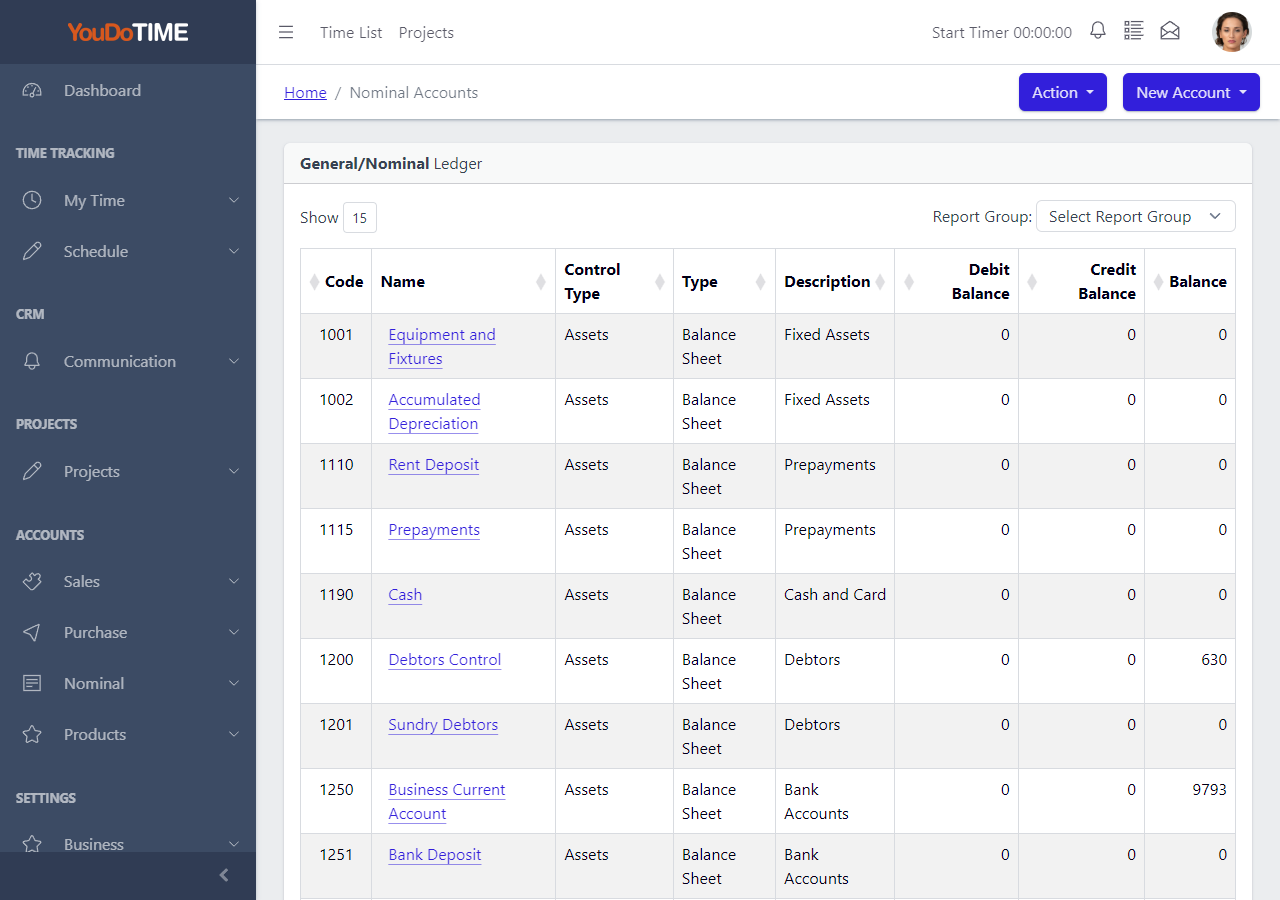
The chart keeps the important distinctions visible. Code and name identify the account; financial-statement type and Report Group show how it is presented; control type identifies accounts with a particular accounting role; and debit, credit and balance columns show the current position.
- Select a starting chart designed for the Making Tax Digital trade.
- Add or amend nominal accounts as more detail is required.
- See code, classification, control role and balances in one list.
The accounting year as a working view
See movement across all 12 periods without first designing a report
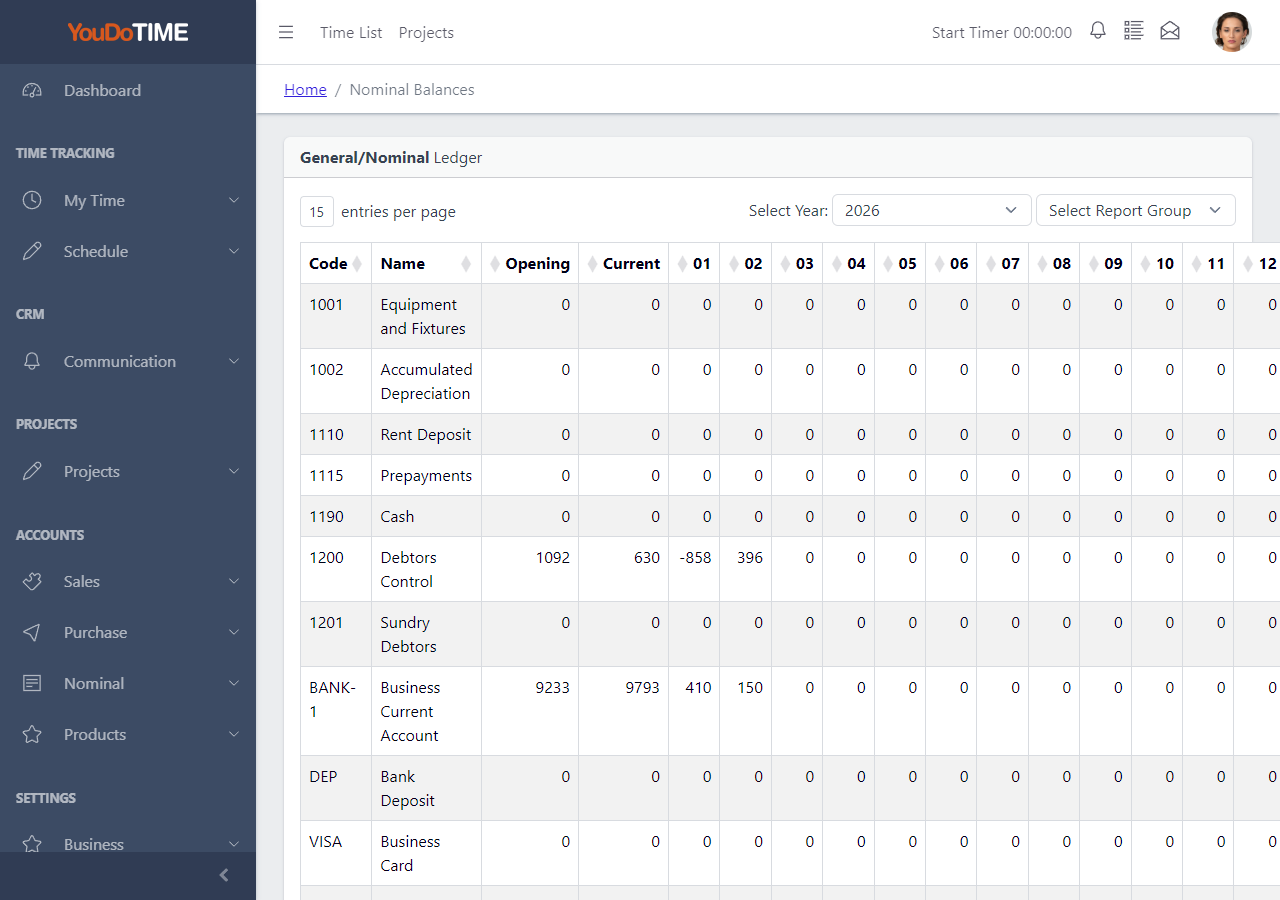
The all-account balance view places Opening and Current balances beside columns 01 to 12. It gives the accountant a direct view across the financial year while retaining the ability to select the year and Report Group.
Open an individual nominal account for another level of detail: debit, credit, movement, budget, variance and running balance are shown period by period. A separate Transactions tab keeps the account's recorded activity available from the same record.
- Compare opening, current and 12 period balances.
- Select the financial year and Report Group.
- Review movement, budget and variance by account.
- Open the account's transaction list from its record.
Period status you can inspect
Review each ledger by accounting period, not only through one organisation-wide date
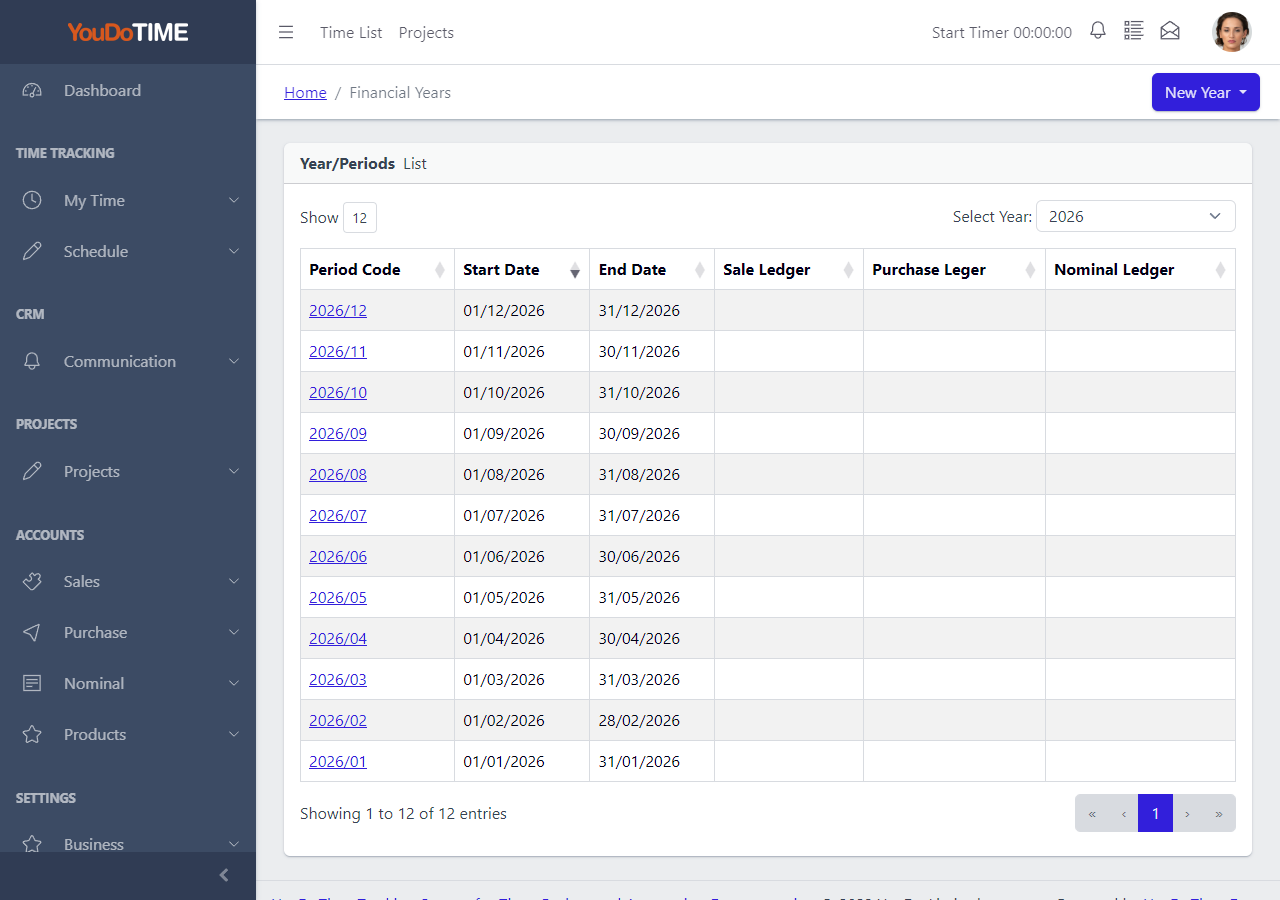
Each financial year contains its dated accounting periods. The period list shows separate status columns for the Sales Ledger, Purchase Ledger and Nominal Ledger, making the structure used for accounting review visible in one place.
Financial years remain selectable alongside the nominal balances and account records. This keeps period-based review connected to the same ledger structure rather than hiding it inside an individual report.
- Review the start and end date for every accounting period.
- See separate Sales, Purchase and Nominal ledger statuses.
- Use the same named financial years across ledger views.
More of the ledger where the work happens
Account structure, posting lines and transaction purpose remain visible
The nominal area provides working views for the classifications and entries behind the financial statements.
Departments on the account
Hold an optional department against the nominal account so the intended department or cost-centre structure is visible with its other accounting settings.
Posting lines across the ledger
Use Transaction Items to review debit and credit posting lines across nominal accounts, including their account, tax date, transaction type and comment.
Purpose-specific transaction routes
Keep Bank Transfers, Cash Payments, Cash Receipts and Nominal Journals clearly identified instead of presenting every direct ledger entry as the same generic transaction.
One self-hosted business database
Run the nominal ledger in the same YouDoSoftware installation as customers, suppliers, projects, time records and the commercial transactions that feed the accounts.
Nominal ledger questions
Familiar accounting terms, with the structure made explicit
YouDoAccounting follows established debit-and-credit accounting while exposing the classifications used to organise accounts, financial periods and reports.
Explore accounting reportsThe chart of accounts is the organised list of coded accounts. The nominal ledger—also called the general ledger—combines those accounts with their debit and credit postings, balances and accounting-period activity.
The account category and control fields describe the accounting role and behaviour of the account. Its Report Group supplies a reusable heading and position in the financial-report hierarchy. Keeping those jobs separate allows report presentation to change without silently changing the account itself.
The code identifies the nominal account, but its reporting position is also held explicitly through the Report Header and Report Group. The account therefore does not rely on its numeric range alone to describe where it belongs.
Yes. The all-account balance view shows Opening, Current and periods 01 to 12. An individual account adds period-by-period debit, credit, movement, budget, variance and balance values.
Each financial year contains dated periods. The period list presents separate status columns for the Sales, Purchase and Nominal ledgers, while the same financial-year selection is available in the relevant balance and account views.
Each nominal account has its own Transactions tab. The separate Transaction Items list provides a cross-account view of debit and credit posting lines, while the nominal report catalogue supplies the formal accounting outputs.
Move from the ledger to the reports
Use the chart, Report Groups, balances and financial periods as the working structure behind YouDoAccounting reports.