Communication

Communication
Every message your system sends, in one searchable log.
Campaign emails, batch-generated statements and reminders, individual messages with documents attached — the communication hub holds every outbound message, linked back to the customer, lead or project it came from.
Campaign emails
Bulk outreach to segmented prospect or customer lists. Every campaign recipient appears in the log with the personalised content they actually received.
Campaigns
Batch processing
Statements, invoice reminders, scheduled notifications — system-generated messages sent in batches, each logged against the customer and searchable here.
Templates
Individual messages
One-to-one messages to a contact or company, with documents attached. Same template system, same audit trail, same searchable log.
Get YouDoCRM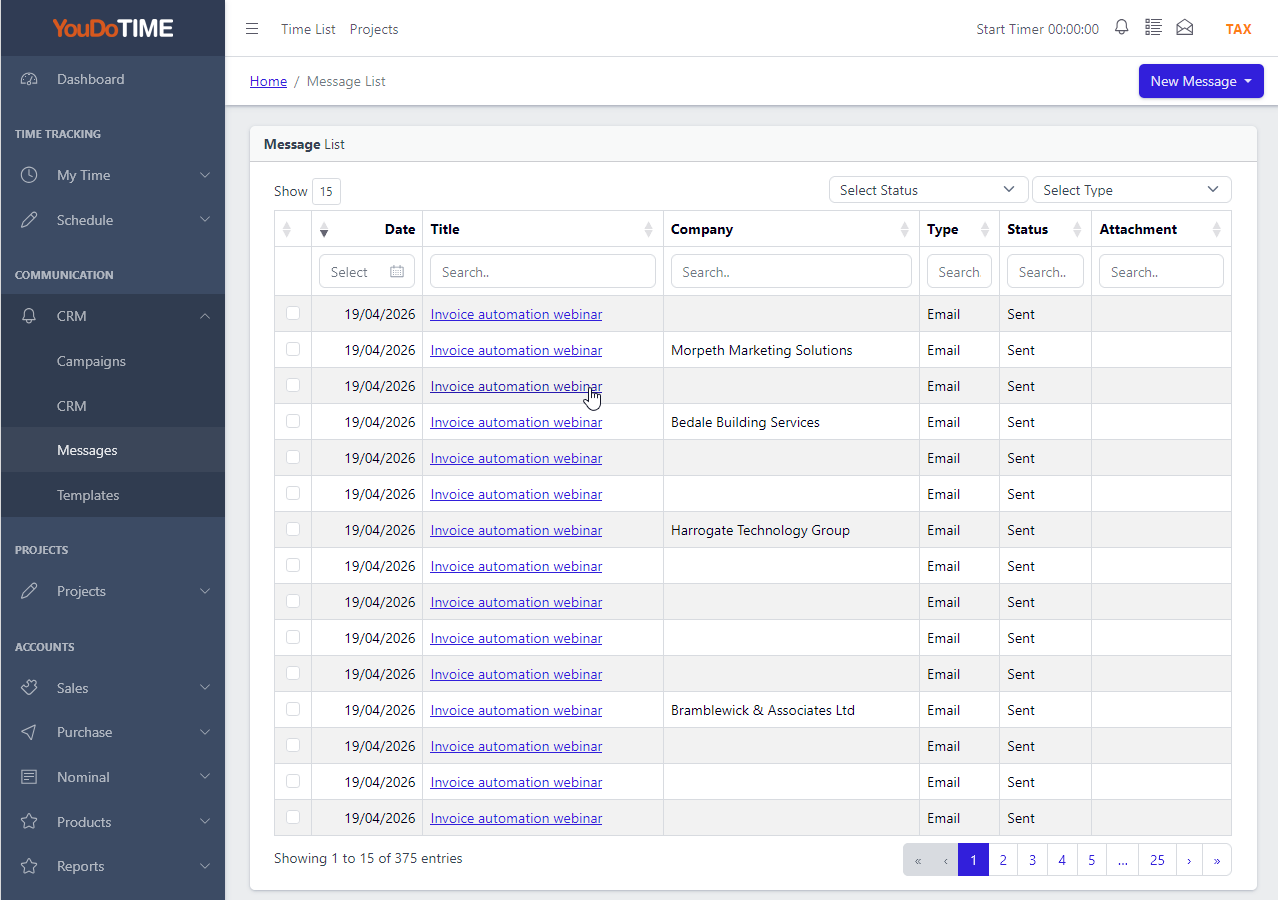
Every message, fully searchable.
One screen, every outbound message your system has ever sent. Campaign emails, batch-processed statements, individual one-to-ones — all appear in the same list. Filter by user, date, recipient, source or status. Search the subject and the message body together so you can find what was said, not just who it was sent to.
Cloud CRMs typically split this across multiple screens — one for marketing campaigns, one for transactional emails, one for sales outreach — each with its own search. YouDoCRM holds them all in a single log because they are the same kind of thing: a message your system sent on your behalf.
- All outbound messages in one list.
- Full content search — subject and body.
- Filter by user, date, source or status.
- Linked to the customer, lead or project.
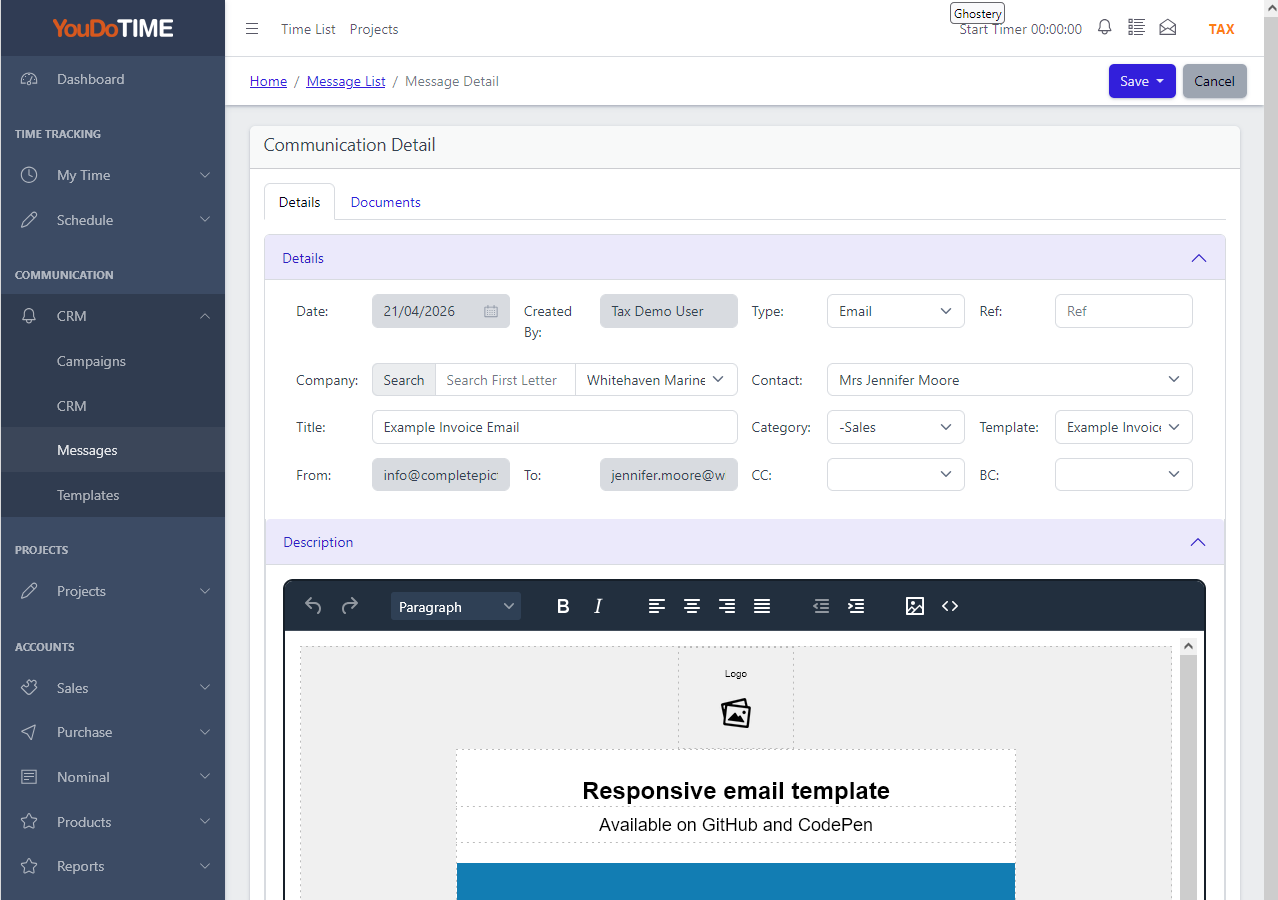
See the message exactly as it was sent.
Open any message in the log and YouDoCRM shows you the exact content delivered to the recipient — the personalised subject, the merged body, the attached documents. Not the current template, not the customer's latest details, but a faithful record of what left your system at the moment it was sent.
When you select a template to send a message, YouDoCRM copies the template and stores the copy with the message. Edit the template next week and yesterday's sent messages stay exactly as they were sent — the original template lives on for reuse, and your audit trail is intact. Cloud CRMs commonly store only a reference to the current template, which drifts the record of what was sent.
- Faithful record of the message as delivered.
- Template copied at send time.
- Edits to the template don't rewrite history.
- Attached documents stored alongside.
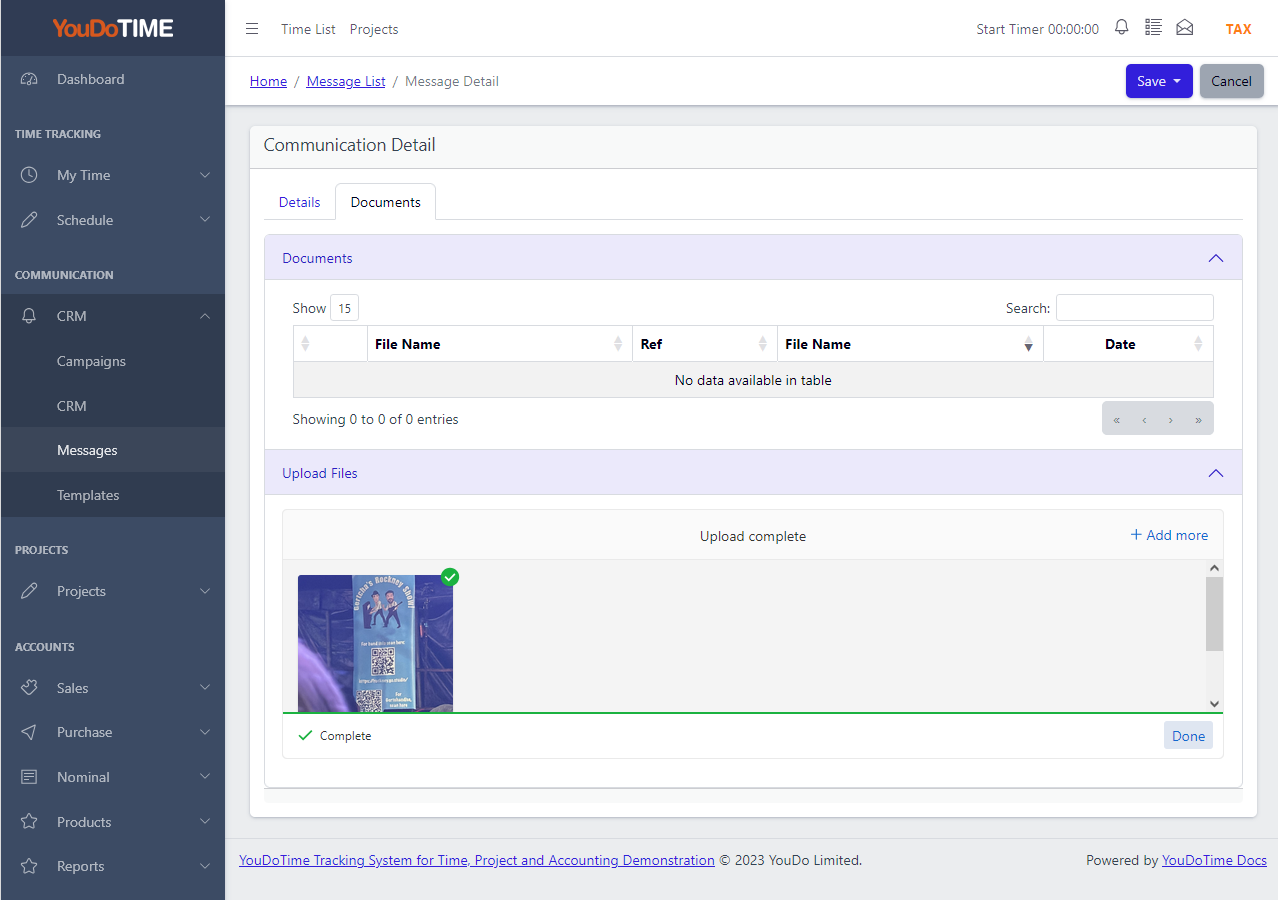
Attach documents — and merge Handlebars into PDFs.
Drag documents into the message, or pick them from the files already attached to the customer or sales lead. Any file type is supported; the attachments are stored alongside the message in the log so you can see exactly what the recipient received.
When the attachment is a PDF, YouDoCRM can merge Handlebars placeholders into the document before sending — personalising a quote, a contract or a statement with the recipient's details at the moment the message is dispatched. One template PDF, many personalised variants, every one archived with its message.
- Drag-in or pick from existing customer files.
- Any file type; any size (limited by your disk).
- Handlebars merge into PDF attachments.
- Sent attachments archived with the message.
Handlebars syntax for personalised templates.
YouDoCRM uses standard Handlebars syntax for personalisation — the same templating language used widely across web and email systems. Drop {{customer.name}} into a subject line, {{invoice.total}} into a body, {{#each lineItems}} into a table, and the placeholders resolve from the customer, invoice, lead or project record at send time.
Because Handlebars is an industry-standard syntax, anyone on your team who has worked with templating before will be productive from day one. No proprietary token language to learn, no vendor-specific merge fields. The same syntax works in message bodies, subject lines and — uniquely — inside PDF attachments.
- Standard Handlebars syntax.
- Resolve from customer, lead or project.
- Works in bodies, subjects and PDFs.
- No proprietary token language to learn.
Frequently asked questions
Short answers on how the communication log, templates and document attachments work.
Templates use standard Handlebars syntax. Drop placeholders like {{customer.name}} or {{invoice.total}} into the subject, body or even an attached PDF, and YouDoCRM resolves them from the relevant record at send time. The same template can drive individual messages, batch processing and campaigns.
Nothing — and that is deliberate. When you select a template, YouDoCRM copies it and stores the copy with the message. Editing the template afterwards does not change any message that was already sent. The original template lives on for future use; your audit trail of what was actually sent stays accurate.
Yes. Drag files into the message or pick from documents already attached to the customer or sales lead. Any file type is supported, at any size your disk can hold. If the file is a PDF, YouDoCRM can merge Handlebars placeholders into it before sending — so a generic quote template becomes a personalised PDF for each recipient.
Full content search. Subject line, body text and recipient details are all indexed — so you can find a message by a phrase the recipient saw, not only by the date or the customer name. Filter alongside the search by user, date, source (campaign, batch, individual) or status.
YouDoCRM dispatches messages through your chosen SMTP provider or mail service — including Amazon SES for high-volume campaigns. You configure the connection once; YouDoCRM handles the queuing, delivery status and the log.
On your own server, inside your YouDoCRM installation. Messages, templates and attached documents all stay on disk under your control — nothing lives in a vendor's cloud. Retention is whatever your own backup policy says it is.