Project Budget
Budget by time, by value, or by both.
YouDoProjects lets you set financial and time budgets at project level, sub-project level and task level — so you always know what work costs and what you can bill.
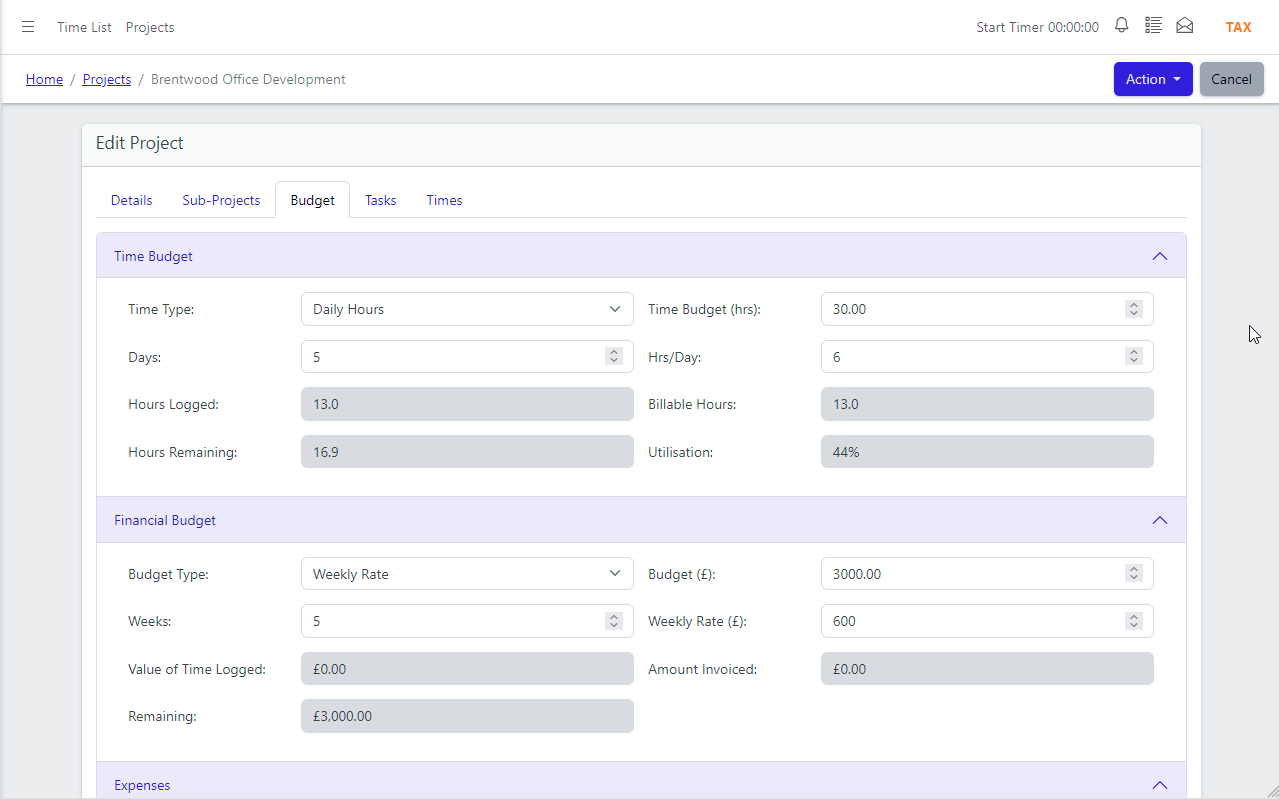
Budget at the project level
Every project in YouDoProjects can carry both a financial budget and a time budget — set independently to match how you work and how you charge.
The financial budget type determines how the project is billed to the client: Fixed Price for a quoted lump sum, Hourly Rate for time-and-materials work, or Daily and Weekly Rate for retainer-style engagements. Non-Chargeable marks internal projects where time is tracked for cost purposes only. The time budget works the same way — Fixed Hours for a capped engagement, or Daily and Weekly Hours for ongoing work. As time is logged and expenses recorded, actuals update in real time against both budgets.
- Financial budget types: Fixed Price, Hourly, Daily Rate, Weekly Rate, Non-Chargeable
- Time budget types: Fixed Hours, Daily Hours, Weekly Hours, Non-Chargeable
- Actuals tracked in real time — financial and time budgets updated as work progresses
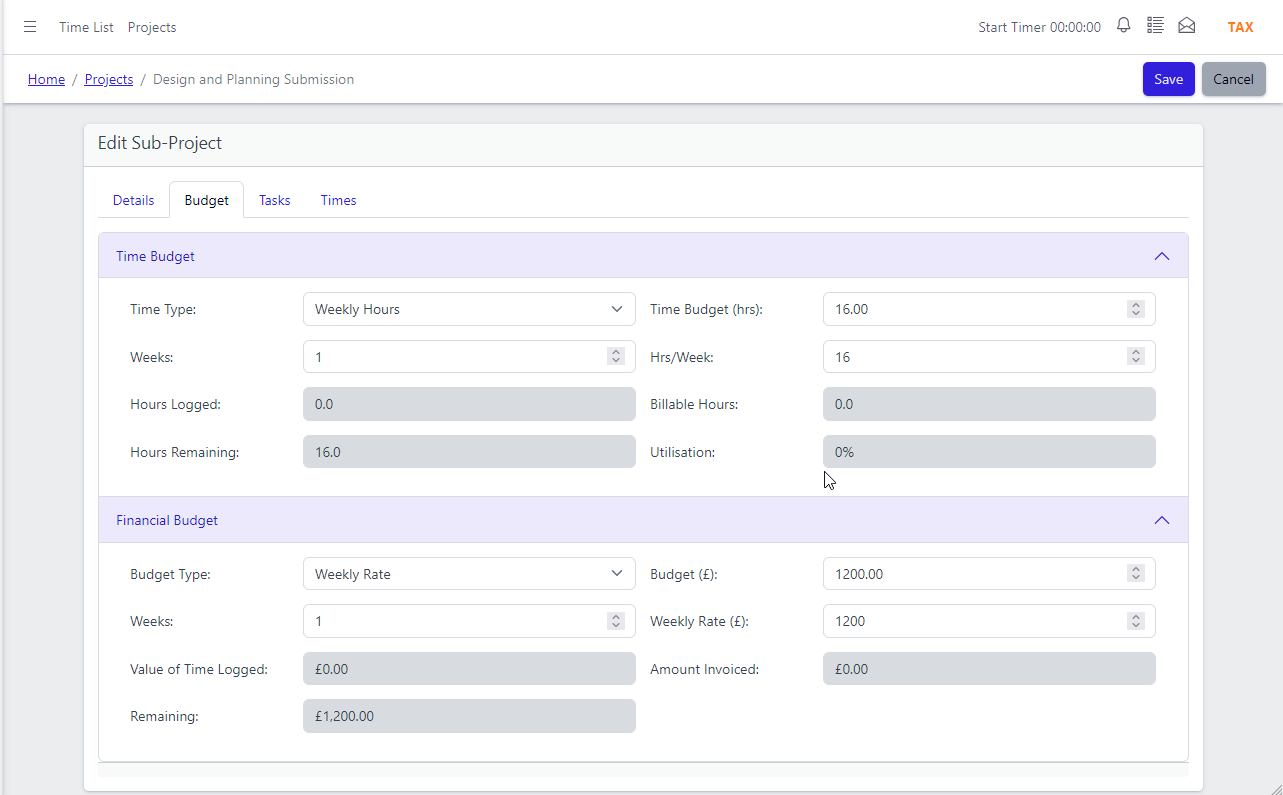
Budget at the sub-project level
Large projects often contain distinct phases or workstreams, each with their own cost. Sub-project budgets let you track spend at that level without losing the overall picture.
Every time entry recorded against a task is allocated to a sub-project, which in turn rolls up to the parent project. This gives you a clear cost breakdown by phase — useful for reviewing where a project ran over before it hits the invoice. Sub-project budgets follow the same financial and time budget model as the parent, so the reporting is consistent across every level of the project hierarchy.
- Time entries grouped and costed at sub-project level
- Financial and time budgets set independently per sub-project
- Sub-project costs roll up to the parent project automatically
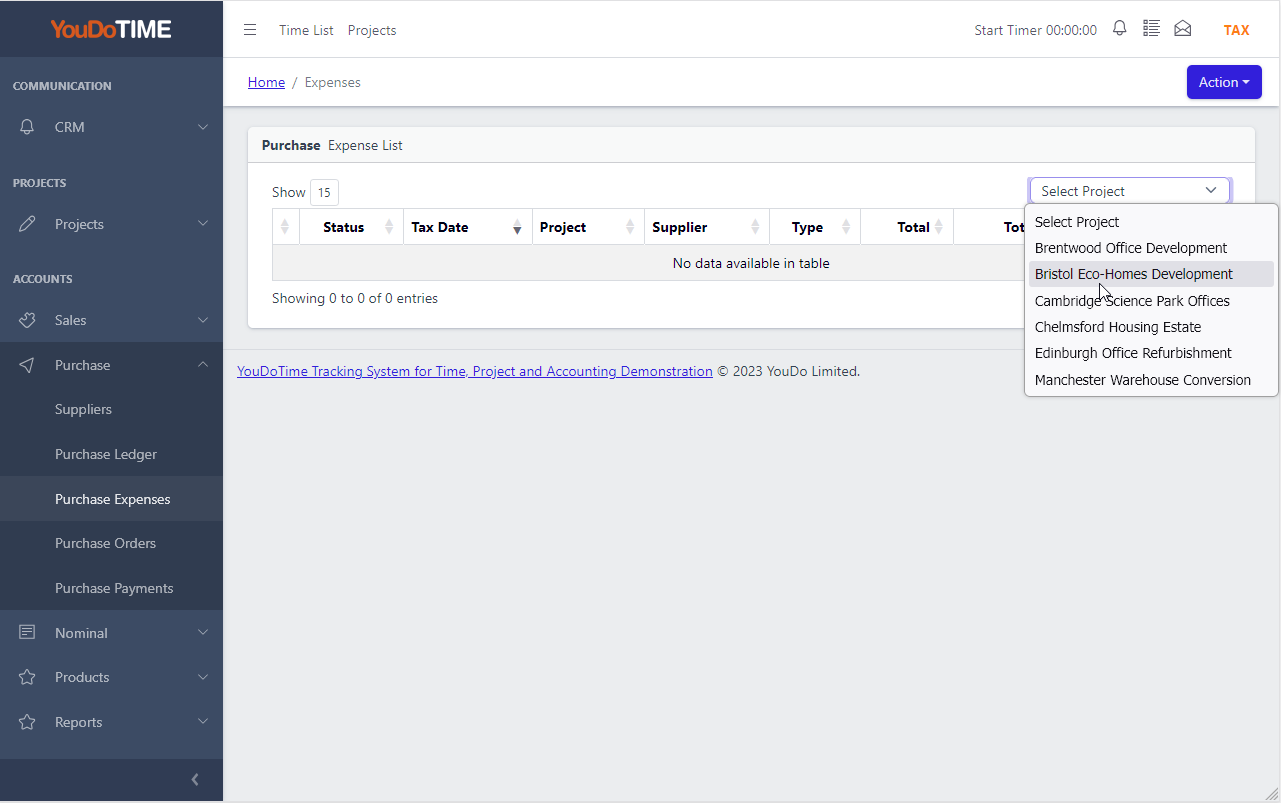
Expenses as billable disbursements
Project expenses in YouDoProjects are recorded at the purchase item level and allocated directly to a project — making them immediately visible in the project budget alongside time costs.
Each expense can carry a markup percentage for client billing, so the difference between your cost and the chargeable amount is always clear. Because YouDoSoftware integrates YouDoProjects with YouDoAccounting, expenses flow directly into your ledger without re-entry — no separate reconciliation between your project system and your accounts. Internal projects can be marked Non-Chargeable so cost is tracked without generating a billing record.
- Expenses recorded at purchase item level and allocated to a project
- Markup percentage set per expense for client billing
- Flows directly into integrated accounting — no duplicate entry
App Features
Know what every project costs — before it reaches the invoice.

Budget by Time or Value
Set a financial budget, a time budget, or both. Choose the rate type that matches how you charge — fixed, hourly, daily or weekly.

Three Levels of Cost Tracking
Track costs at project level, sub-project level and task level. Every time entry traces back through the hierarchy to the project budget.

Expense Markup
Add a markup percentage to any expense. See your cost and the billable amount side by side — ready for the client invoice.

Non-Chargeable Projects
Mark internal projects as Non-Chargeable. Time and costs are tracked for management purposes without generating billing records.

Integrated Accounting
Expenses and time costs flow directly into your ledger. Project profitability stays accurate without any manual reconciliation between systems.

Real-Time Actuals
As time is logged and expenses recorded, budget actuals update immediately — no end-of-month reconciliation, no surprises on the invoice.